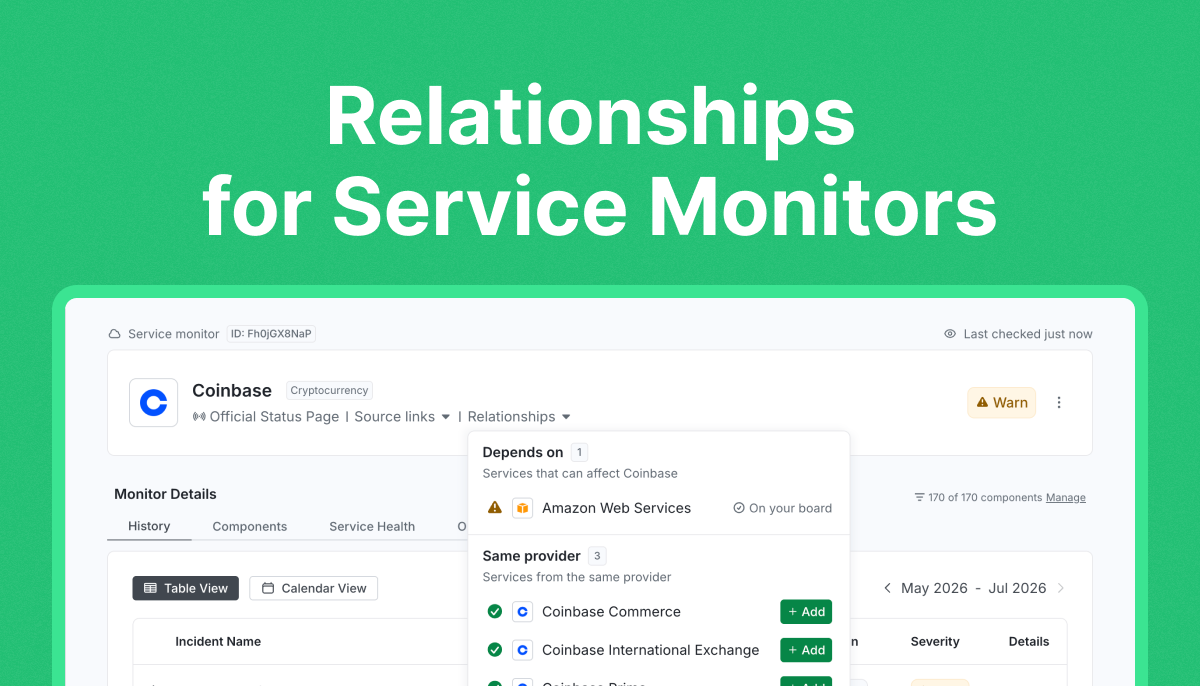
Understanding a service outage is easier when you can see what it’s connected to. That’s why we’re introducing Relationships for Service Monitors, one of the most requested features from StatusGator’s hundreds of enterprise IT teams.
You can now explore related services directly from the Service Details page by opening the Relationships dropdown.
Explore service relationships

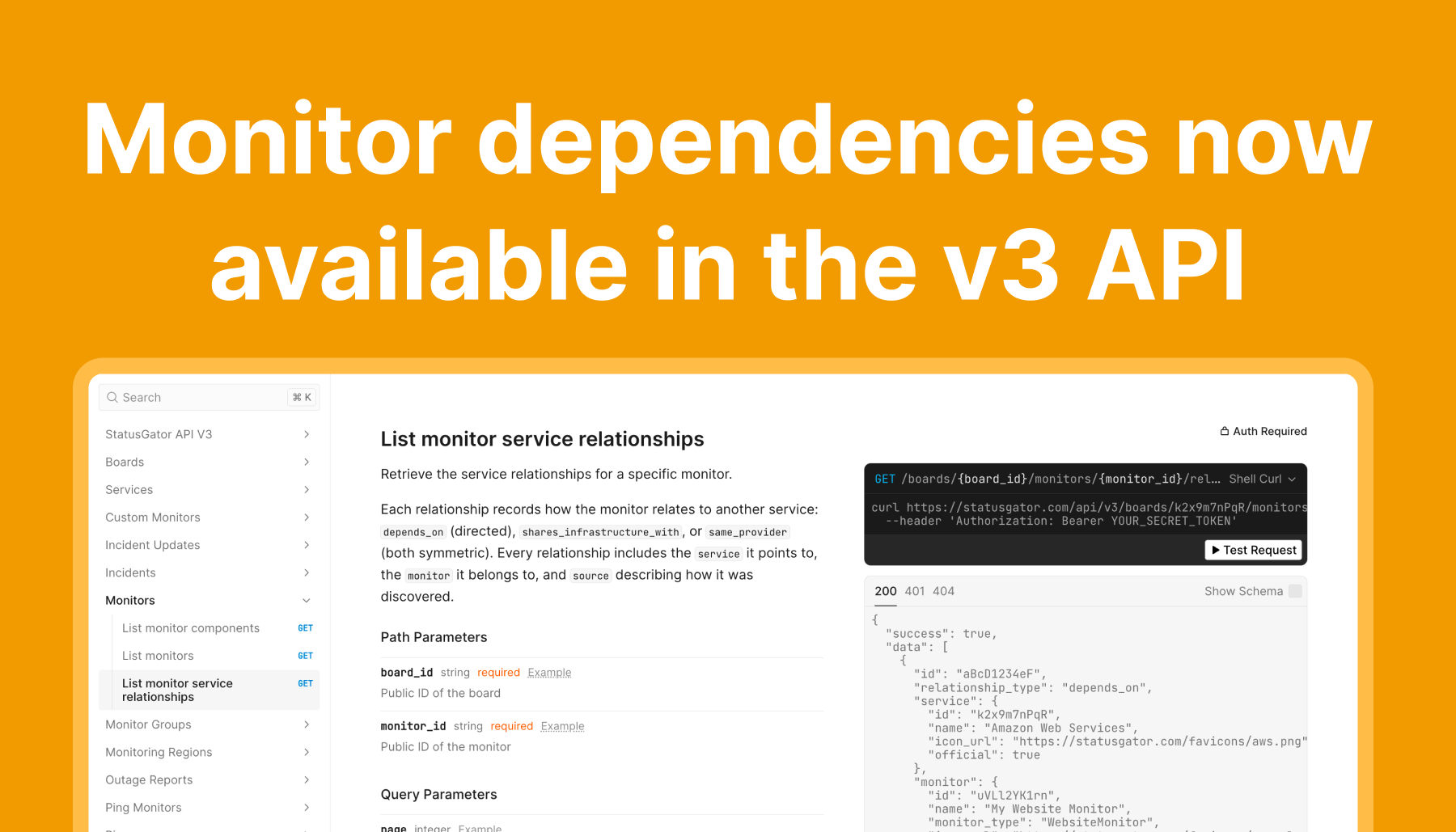
The Relationships dropdown gives you additional context about the service you’re monitoring by showing other services that are connected to it. These relationships are grouped into three categories at the moment:
- Depends on – Third-party services that this service relies on to operate. If one of these experiences an outage, it could impact the service you’re monitoring.
- Shared infrastructure – Other services running on the same underlying infrastructure. Infrastructure issues can often affect multiple services at once, making this a useful signal during widespread incidents.
- Same provider – Services operated by the same company or vendor. This helps you quickly identify whether an issue may be part of a larger provider-wide disruption and helps you find related services you may want to monitor.
Each related service displays its current status, and if it’s not already on your board, you can add it with a single click directly from the dropdown.
This data is powered by numerous input sources and layered together to give you and your team a fuller picture of your cloud dependencies. Enterprise risk management teams need to understand what pieces of critical infrastructure might affect their ability to stay up and running. StatusGator’s massive scale and proprietary data help power that.
Note: Not every Service Monitor has Relationships yet. We’re actively adding dependency data, rolling them out in phases. so you’ll see the Relationships dropdown appear on more services over time. Have a dependency or relationship you’d like us to add? We’d love to hear from you. Just request it, and we’ll work on including it.
Coming soon: Bring your own dependencies
Today, Relationships are powered by the connections we’ve identified across the services we monitor.
Soon, you’ll be able to define your own dependencies and relationships across all monitor types, giving you complete control over modeling your infrastructure, applications, vendors, and internal services.
We’re excited to keep building on this feature and help you get even more context when incidents happen.