


StatusGator+Freshservice
Create tickets in Freshservice for outage reports.
Overview
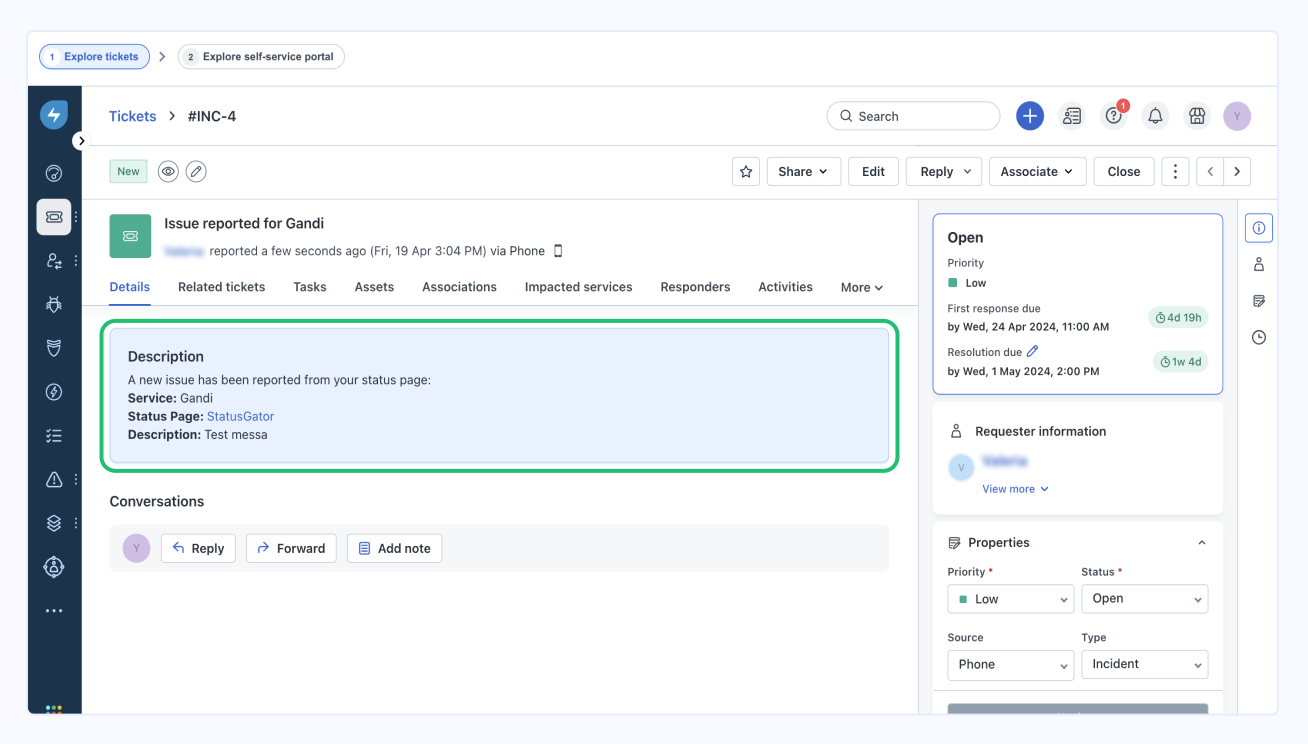
Integrate StatusGator with Freshservice to streamline incident management by receiving status page outage reports directly as tickets in your Freshservice account. This integration ensures that any disruptions or downtime reported on your monitored services are automatically converted into actionable tickets, allowing your support team to respond promptly and efficiently.
Key features
- Automated ticket creation: Receive status page outage reports directly as tickets in your Freshservice account for streamlined tracking.
- Centralized incident management: Consolidate outage reports within your Freshservice workflow.
- Proactive team response: Ensure your support team is immediately informed of service disruptions and can respond efficiently.
Integration details
Start free trialCategory
Supports
- Outage Reports
Available on plans
Business plans
-
Free
-
Starter
-
Team
-
Corporate
-
Enterprise
Education plans
-
Free
-
Small
-
Medium
-
Large
-
Extra Large
Resources
Help docFrequently asked questions
-
How do I integrate StatusGator with Freshservice?
To integrate StatusGator with Freshservice, navigate to the Integrations page in your StatusGator account. Find the Help Desk category, locate Freshservice, click Add, and follow the setup instructions to connect your Freshservice account. -
What happens when an outage is reported on my status page?
When an outage is reported on your status page, it will automatically be converted into a ticket in your Freshservice account. This allows your support team to track and respond to service disruptions efficiently. -
Can I customize the ticket creation process?
Yes, you can customize the ticket creation process by selecting a default priority for tickets (low, medium, high, urgent) right on the Freshservice settings page in your StatusGator account. -
Will my support team be notified of new tickets from StatusGator?
Yes, your support team will receive notifications in Freshservice whenever a new ticket is created from a status page outage report. This ensures that your team is immediately aware of any service disruptions and can take quick action. -
Can I set a custom trigger for creating a ticket, such as when the status changes?
Currently, this feature isn't available, but we plan to introduce it in future updates. Stay tuned for more customization options that will allow you to create tickets based on service status changes or other events.
Can't find your question? Email us to arrange a time to discuss. We'd love to chat!
Other integrations

Freshdesk
Create tickets in Freshdesk for outage reports.

Incident IQ
Update your Incident IQ status board automatically.

Zendesk
Send outage reports to your Zendesk help desk.
We have 40 integrations. See all