
In recent years, Rootly has been a popular choice for incident response and management. They offer a comprehensive suite for the purpose.
However, it might be that Rootly isn’t for you. This could be due to cost, a lack of features, or issues you’ve experienced. It could be none of the above and you might just want a change.
Whether it’s pricing, features, or the desire for more advanced capabilities – exploring alternatives can help you find a tool that better aligns with your requirements.
To help you find a Rootly alternative, we explored the top 10 best Rootly alternatives in 2025. We look at a variety of monitoring tools, starting with the highly versatile StatusGator.
What is Rootly?

Rootly is an incident response platform for SRE teams seeking to automate and streamline the response processes.
The platform integrates seamlessly with Slack, allowing real-time collaboration and communication directly within your existing workflows.
One of Rootly’s standout features is its AI-driven capabilities, which include AI-generated incident summaries, troubleshooting tips, and retrospective automation that helps resolve downtime faster.
Rootly also supports extensive customization through integrations with over 70 tools, such as Jira, PagerDuty, and GitHub, ensuring it fits smoothly into diverse tech stacks. Its Terraform-based settings allow for infrastructure as code (IaC) integration, enabling advanced configuration and management.
For enterprises, Rootly offers features like multi-cloud redundancy, granular RBAC (role-based access control), and SOC 2, GDPR, and CCPA compliance, making it suitable for highly regulated industries. Its incident retrospectives are customizable, allowing organizations to tailor post-mortem learning processes to specific needs.
Additionally, Rootly’s AI ensures privacy and flexibility by allowing users to opt in or out of AI features and control data access permissions. This makes it not only a powerful tool for incident management but also a flexible one that can adapt to varying security and operational requirements.
We did not include the Statuspage.io vs Rootly comparison in this blog, but we have a separate page on it. Now, let’s dive into the overview of Rootly alternatives.
Top Rootly Competitors and Alternatives
1. StatusGator

StatusGator is an all-in-one incident communication tool designed to help organizations manage and streamline their incident response processes. With StatusGator, you can create both internal and external status pages, enabling transparent and timely communication with all relevant stakeholders during outages.
Features
- Internal and External Status Pages: StatusGator allows you to set up dedicated status pages for internal teams and external audiences. This ensures that everyone, from your IT staff to your customers, stays informed with real-time updates.
- Status Aggregation: Monitor over 4,000 cloud services and SaaS providers. StatusGator aggregates status information from these services, providing a comprehensive overview of potential third-party disruptions affecting your operations.
- Custom Monitors: Create and publish custom incident updates on your status pages. This flexibility ensures that you can communicate unique incidents specific to your organization’s needs.
- Early Warning Signals: By processing over a thousand data points every 60 seconds, this feature detects early signs of outages or performance issues in your dependencies. It ensures you’re notified promptly, even before providers officially update their status pages
- Instant Notifications: Receive and send instant notifications via multiple channels, including Slack, MS Teams, email, SMS, webhooks, and API integrations. This ensures timely and effective communication and reduces response times.
- Status Widgets and Embed Options: Integrate status updates directly into your website or intranet with customizable status widgets and JavaScript or iframe embeds. This makes it easy for stakeholders to access the latest information.
- TV Integration: Display your status page on office TVs to keep your team continuously informed about the status of your services and systems
Advantages
- Enhanced Transparency and Trust: StatusGator helps build trust with customers and employees by providing clear and consistent communication during outages, improving your organization’s credibility.
- Improved Response Times: With real-time notifications and centralized status information, your team can respond to downtime more quickly and effectively, minimizing downtime and disruptions.
- Reduced Support Tickets: Proactively communicating incidents and updates reduces the volume of support tickets, freeing up your support team to focus on resolving issues.
- Comprehensive Monitoring: StatusGator’s ability to monitor thousands of third-party services ensures that you are aware of any external factors that might affect your operations, allowing for proactive incident management.
- Seamless Integration: With multiple integration options, StatusGator fits smoothly into your existing workflow, making it easier to manage incident communication without disrupting your processes.

Pricing
Free Plan: Includes 3 monitors, 1 board, 1 user, 500 subscribers, 4 integration options, website and cloud service monitoring, a public status page, and 1 month of historical data.
Starter Plan: $72 per month.
Offers 25 monitors, 1 board, 1 user, 500 subscribers, unlimited notifications, 9 integration options, a private status page, custom domains, and 3 months of historical data.
Team Plan: $137 per month.
Provides 75 monitors, 3 boards, 3 users, 1,000 subscribers, 13 integration options, multiple status pages, admin SSO, an upcoming maintenance feed, and 6 months of historical data.
Corporate Plan: $274 per month.
Includes 150 monitors, 5 boards, 10 users, 1,000 subscribers, all integration options, more status pages, the ability to hide StatusGator branding, and 12 months of historical data.
Enterprise Plan: Starting from $799 per month.
Supports 200+ monitors, 10+ boards, 20+ users, 5,000+ subscribers, status page SSO, private status ingestion, early warning signals, custom email branding, and 24 months of historical data.
Each plan comes with a 14-day free trial and various features designed to meet the needs of businesses and educational institutions.
2. OpsGenie

OpsGenie is a cloud-based incident management solution designed to help DevOps teams manage alerts and on-call schedules. The platform focuses on ensuring that critical outages are never missed and that the right team members are alerted promptly.
Features
- Incident Response Automation: allows teams to set up rules for alerting and escalation. This ensures that the right people are notified at the right time, reducing response times and improving overall efficiency.
- Multi-Channel Notifications: including email, SMS, phone calls, and mobile push notifications. This flexibility ensures that team members receive alerts in the way that suits them best, regardless of their location.
- On-Call Scheduling: allows teams to manage their on-call rotations easily. Users can create schedules, set up overrides, and ensure that there is always someone available to respond to disruption.
- Integration with Monitoring Tools: seamless integration with a wide range of monitoring and ticketing tools, such as Jira, Slack, and Datadog. This integration enables teams to manage incidents directly from their preferred tools.
- Reporting and Analytics: provides detailed reporting and analytics on response performance. Teams can analyze response times, outage frequency, and team performance, helping them identify areas for improvement and optimize their processes.
- Collaboration Features: The platform includes collaboration tools that allow team members to communicate effectively during downtime. Users can create timelines, share updates, and collaborate in real-time, ensuring that everyone is on the same page.
OpsGenie’s comprehensive feature set makes it a strong contender for teams looking for an effective management and communication solution.
Advantages
- Real-time Alerts and Notifications: OpsGenie integrates seamlessly with various monitoring tools and provides real-time alerts to the right people, ensuring quick incident response.
- On-Call Management: The platform offers robust on-call scheduling, allowing for automated escalations and reducing response times.
- Workflow Automation: OpsGenie enables the automation of incident management workflows, reducing manual effort and enhancing operational efficiency.
- Integrations: connects with over 200 tools making it easy to fit into existing tech stacks.
- Customization Options: Customizable alerting and workflows tailored to specific organizational needs.
Pricing
Free Plan: is ideal for small teams of up to 5 users and includes basic incident management features such as alerting, on-call scheduling, and limited tool integrations.
Essentials Plan: Priced at $9 per user per month (billed annually), offers advanced alerting, escalation policies, and enhanced reporting, making it suitable for small to medium-sized teams needing more robust incident management.
Standard Plan: At $19 per user per month (billed annually), includes all features from the Essentials Plan, plus advanced reporting, extensive integrations, and enhanced support options, catering to larger teams or organizations requiring comprehensive incident management solutions.
Enterprise Plan: starts at $29 per user per month (billed annually), and offers advanced incident management, and enterprise collaboration on top of the features offered by the lower-tier plans.
3. Incident.io

Incident.io is a user-friendly platform that integrates deeply with Slack, providing a seamless experience for managing disruptions directly from the chat interface. It’s designed to simplify the incident response process for teams.
Features
- Incident Management Dashboard: a centralized board that allows teams to manage disruptions effectively. Users can create, track, and resolve incidents in real-time, ensuring that everyone is on the same page during critical situations.
- Automation: The platform offers a straightforward response process. This feature helps teams to assign roles quickly, set priorities, and follow predefined steps, reducing the time it takes to resolve issues.
- Real-Time Collaboration Tools: includes built-in collaboration tools that facilitate communication among team members during an incident. Users can share updates, discuss issues, and make decisions in real-time, ensuring a coordinated response.
- Post-Incident Review and Reporting: After a disruption is resolved, Incident.io allows teams to conduct post-mortem analyses. Users can document what happened, identify root causes, and generate reports to improve future responses and prevent recurrence.
- Integration with Popular Tools: Incident.io seamlessly integrates with various tools and platforms, such as Slack, Jira, and GitHub. This feature enables teams to leverage their existing workflows and ensures that outage management fits into their broader operational processes.
- Customizable Status Pages: The platform offers customizable status pages that can be shared with stakeholders and customers. This feature helps keep everyone informed about the current status of outages, enhancing transparency and trust.
These features make Incident.io a strong alternative for teams looking to improve their incident management and communication processes.
Advantages
- Slack Integration: Direct management of incidents from Slack, facilitating real-time collaboration and decision-making.
- Automated Incident Response: Automates various aspects of incident management, from alerts to post-incident analysis.
- Root Cause Analysis: Helps teams quickly identify the root cause of incidents with powerful analytics tools.
- Customizable Workflows: Offers extensive customization options for incident workflows, allowing teams to tailor the process to their specific needs.
- Actionable Insights: Provides detailed insights and post-incident reports to help improve future responses.
Pricing
Team Plan: at $15 per user per month is ideal for smaller teams, this plan includes incident response, on-call alerting (+$10 per user per month), Slack native incident management, and one status page. It also features AI-powered workflows for streamlined incident handling.
Pro Plan: at $25 per user per month is designed for larger organizations, this plan offers everything in the Team Plan plus advanced insights, an AI assistant, seamless post-incident processes, and private incidents. On-call alerting is available for an additional $20/user/month, with multiple status pages included.
Enterprise Plan: custom pricing, tailored for organizations needing advanced security and support, this plan includes everything in the Pro Plan plus a dedicated account manager, advanced access controls, and support for multiple environments.
Incident.io’s flexible pricing structure ensures that teams of all sizes can effectively manage incidents and enhance communication, making it a strong alternative for those seeking robust solutions.
4. Blameless

Blameless is a platform that focuses on Site Reliability Engineering (SRE) practices, helping teams maintain service reliability while handling incidents efficiently. Blameless joined FireHydrant to provide a reliability platform and automated incident management for enterprises.
Features
- Incident Management: Streamlines incident response with automated workflows and real-time collaboration tools.
- Postmortem Analysis: Facilitates thorough post-incident reviews to identify root causes and improve future responses.
- Service Level Objectives (SLOs): Helps teams define, track, and manage SLOs to ensure service reliability.
- Integrations: Connects seamlessly with popular tools like Slack, Jira, and GitHub for enhanced communication.
- Instant Alerts: Sends instant notifications to keep teams informed during incidents, reducing downtime.
Advantages
- SRE Focused: Designed with SRE principles in mind, offering tools that emphasize reliability and continuous improvement.
- Automated Incident Response: Automates key incident response tasks, such as root cause analysis and post-incident retrospectives.
- Machine Learning: Utilizes AI and machine learning to provide actionable insights and predictive analytics.
- Customizable Dashboards: Offers customizable dashboards that provide real-time visibility into incident status and team performance.
Pricing
Since Blameless joined FireHydrant, the platform suggests referring to the FireHydrant pricing which targets primarily enterprises.
Incident Management Pro costs $6,000 per year and offers 5 Runbooks, alert routing, severity matrix, service catalog, incident types, scheduled maintenance, 10 custom fields
and more.
Full Platform Pro is at $9,600 per year including alerting services and incident management.
There are also custom plans and free trials.
5. FireHydrant
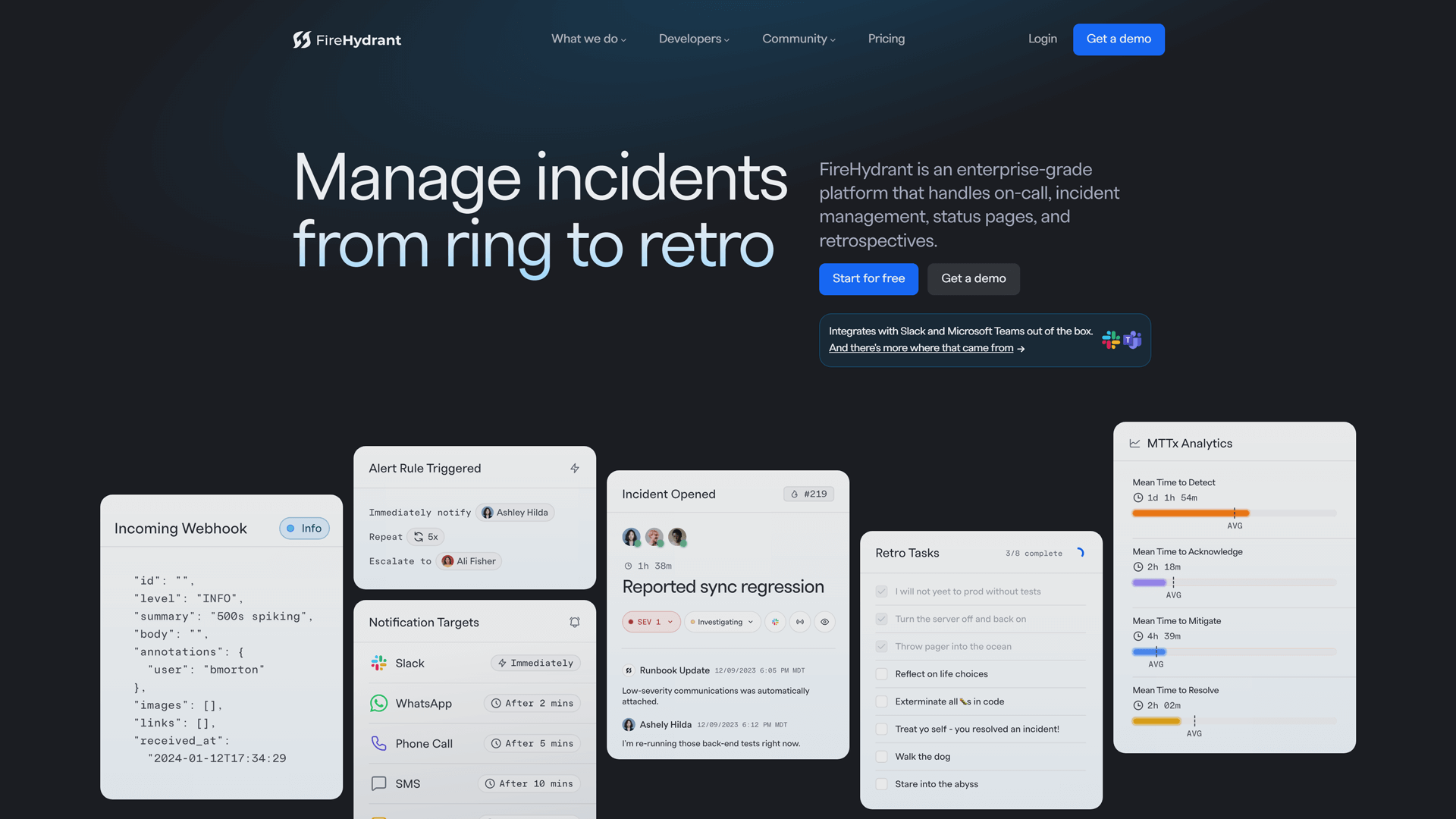
FireHydrant is a platform that automates incident response processes, making it easier for teams to manage and resolve incidents efficiently.
Features
- Incident Response Automation: Streamlines incident management with automated workflows, reducing response times and improving efficiency.
- Real-Time Collaboration: Enables teams to communicate effectively during incidents with integrated chat and collaboration tools.
- Service Catalog: Provides a comprehensive overview of services and their dependencies, helping teams understand impact during incidents.
- Integrations: Seamlessly connects with popular tools like Slack, Jira, and GitHub for a cohesive incident management experience.
Advantages
- Automated Workflows: Streamlines incident management by automating repetitive tasks, and reducing manual intervention.
- Post-Incident Review: Facilitates detailed post-incident reviews, helping teams learn from incidents and prevent future occurrences.
- Customization: Highly customizable workflows to suit different organizational needs.
- On-Call Management: Includes robust on-call scheduling and escalation features to ensure timely responses.
Pricing
Incident management features cost $500 per month, and include 5 runbooks, alert routing, severity matrix, service catalog, 5 integrations, scheduled maintenance, and more.
Full Platform costs $800 per month and includes alerting, and incident management features.
There’s also an on-call plan that depends on the number of engineers.
6. PagerDuty

PagerDuty is a leading incident management platform known for its real-time operations management capabilities, helping teams detect, escalate, and resolve incidents quickly.
Features
- Incident Response Automation: Helps with automated workflows, reducing response times and improving efficiency.
- Real-Time Alerts: Sends immediate notifications via multiple channels, ensuring teams are informed of incidents as they happen.
- On-Call Scheduling: Simplifies on-call management with customizable schedules, ensuring the right team members are available when needed, and automated escalations to ensure incidents are addressed promptly.
- Integration Capabilities: Connects seamlessly with various tools and platforms, enhancing collaboration and incident resolution.
- Analysis and Reporting: Provides insights into incident trends and team performance, helping to improve future response strategies.
Advantages
- Real-time Incident Detection: Provides incident detection and alerting, ensuring that teams are always aware of critical issues.
- Automation: Automates incident response workflows and integrates with numerous tools to streamline processes.
- AI-powered Insights: Leverages AI to provide actionable insights and recommendations during incidents.
- Mobile App: Offers a robust mobile app, enabling teams to manage incidents on the go.
Pricing
PagerDuty offers a range of plans tailored for incident response and automation.
Free Plan: Ideal for small teams, includes basic incident response for up to 5 users.
Professional Plan: $29 per user per month with advanced incident response, integrations, and alerting.
Business Plan: $59 per user per month, including incident automation, analytics, and team-level management tools.
Enterprise Plan: Custom pricing for larger teams with advanced features like machine learning-based incident triage, 24/7 support, and enhanced security.
7. New Relic

New Relic is a powerful observability platform designed to help DevOps teams monitor, troubleshoot, and optimize their software applications and infrastructure in real-time. It provides full-stack visibility, allowing organizations to track everything from application performance to server health, enabling them to quickly identify and resolve issues.
Features
- Real-Time Monitoring: Provides instant visibility into application performance and infrastructure health.
- Incident Detection: Automatically identifies and alerts teams about incidents affecting service performance.
- Root Cause Analysis: Offers deep insights to help teams quickly diagnose and resolve issues.
- Collaboration Tools: These include popular platforms like PagerDuty and OpsGenie, enhancing communication and collaboration during incidents. Facilitates team communication and collaboration during incidents.
- Custom Dashboards: Allows users to create tailored dashboards for monitoring specific metrics and services.
Advantages
- Full-stack Monitoring: Covering applications, infrastructure, and logs ensures complete visibility into systems, helping teams detect and address issues before they impact end users.
- Analytics: This provides deep insights into application performance, user behavior, and system health.
- Automation Capabilities: This includes anomaly detection and automated alerts, which help prioritize critical issues and reduce manual intervention during incident resolution.
- Root Cause Analysis: Quickly diagnose and resolve underlying issues, minimizing downtime and improving operational efficiency.
- Cross-channel Communication: By integrating with various communication tools, New Relic ensures that alerts and updates are disseminated across multiple channels, keeping all stakeholders informed in real time.
Pricing
Free Plan: Includes 100 GB of data ingest per month at no cost. One full platform user is free, with additional data beyond 100 GB charged at $0.35 per GB. Core users are free, with basic monitoring and view permissions included.
Standard Plan: Core users are charged $49/month. Data ingest costs $0.35 per GB beyond the free 100 GB, or $0.55 per GB for Data Plus (which includes FedRAMP Moderate and HIPAA eligibility). The first full platform user costs $10/month, with each additional user up to five at $99 per user.
Pro Plan: $349 per user annually or $418.80/month for full platform users. Includes the same data ingest costs as the Standard Plan, with more advanced features for larger teams.
Enterprise Plan: Custom pricing is available for large organizations, including advanced security, compliance, and support. Data ingest and compute costs are negotiable and features like SSO and additional monitoring tools are tailored to enterprise needs.
All plans provide flexible data ingest options, scalable user pricing, and varying levels of platform access depending on the team’s needs.
8. Samdesk

It is an AI-powered incident management platform that specializes in real time crisis detection and response. It’s particularly strong in helping organizations respond to external threats and disruptions.
Features
- Timely Alerts: Samdesk provides instant notifications for incidents, ensuring teams are always informed of critical updates.
- Customizable Dashboards: Users can create tailored dashboards to monitor specific incidents and metrics relevant to their organization.
- Multi-Channel Communication: The platform supports communication across various channels, including email, SMS, and social media, for broader outreach.
- Incident Reporting: Samdesk allows users to report incidents quickly, streamlining the communication process during emergencies.
- Collaboration Tools: Built-in collaboration features enable teams to work together effectively during incidents, enhancing response times.
- Data Analytics: Samdesk offers analytics and reporting tools to evaluate incident responses and improve future management strategies.
Advantages
- AI-powered Detection: Uses machine learning to detect and alert teams to crises in real-time, ensuring a quick response.
- Real-time Data: Provides real-time data and insights during incidents, helping teams make informed decisions.
- Custom Alerts: Customizable alerts tailored to specific types of incidents or threats.
- Integration Capabilities: Integrates with various communication and monitoring tools for a unified response system.
Pricing
Samdesk does not display its prices and suggests getting a quote. However, the app it offers is free.
9. Splunk

Splunk is a powerful platform that provides real-time insights and analytics for incident management, particularly in IT and security environments. It offers robust monitoring and incident response tools.
Features
- Data Analytics: Splunk offers powerful data analytics capabilities, allowing users to gain insights from machine data and logs in real-time.
- Response Capabilities: The platform provides automated incident response workflows, helping teams quickly address and resolve issues.
- Custom Dashboards: Users can create unique boards to visualize data and monitor incidents effectively.
- Integration Capabilities: Splunk integrates seamlessly with various third-party tools and services, enhancing its functionality.
- Real-Time Monitoring: The tool enables real-time monitoring of systems and applications, ensuring timely detection of incidents.
- Advanced Reporting: Splunk offers advanced reporting features, allowing teams to generate detailed reports on incidents and performance metrics.
Advantages
- Advanced Analytics: Provides in-depth analytics and machine learning capabilities to help teams identify and resolve incidents quickly.
- Customization: Highly customizable dashboards and workflows to suit different organizational needs.
- Integrations: Integrates with a wide range of tools, including OpsGenie, PagerDuty, and more, to provide a comprehensive incident management solution.
- Post-Incident Review: Facilitates detailed post-incident reviews and root cause analysis to improve future responses.
Pricing
Splunk offers a flexible and transparent pricing structure tailored for various monitoring and observability needs. Plans are billed annually and include a built-in Standard Success Plan with technical support, on-demand services, and educational credits.
- Splunk Observability Cloud: Starting at $15 per host/month, this plan offers real-time monitoring for any stack, including on-prem, hybrid, and multi-cloud environments. It includes AI-driven workflows and proactive issue detection.
- Infrastructure Monitoring: Starts at $15 per host per month. Provides real-time monitoring, over 200 integrations, customizable dashboards, and AI-driven alerts.
- App & Infra Monitoring: Starts at $60 per host per month. Includes all infrastructure features plus application performance monitoring (APM) and troubleshooting.
- Splunk IT Service Intelligence: Pricing is available for workload or ingest-based plans. It features predictive analytics, real-time event correlation, and intelligent alerting for proactive IT service management.
Each plan is designed to meet specific needs, offering scalability and integration options for modern monitoring and observability across various environments.
10. BigPanda
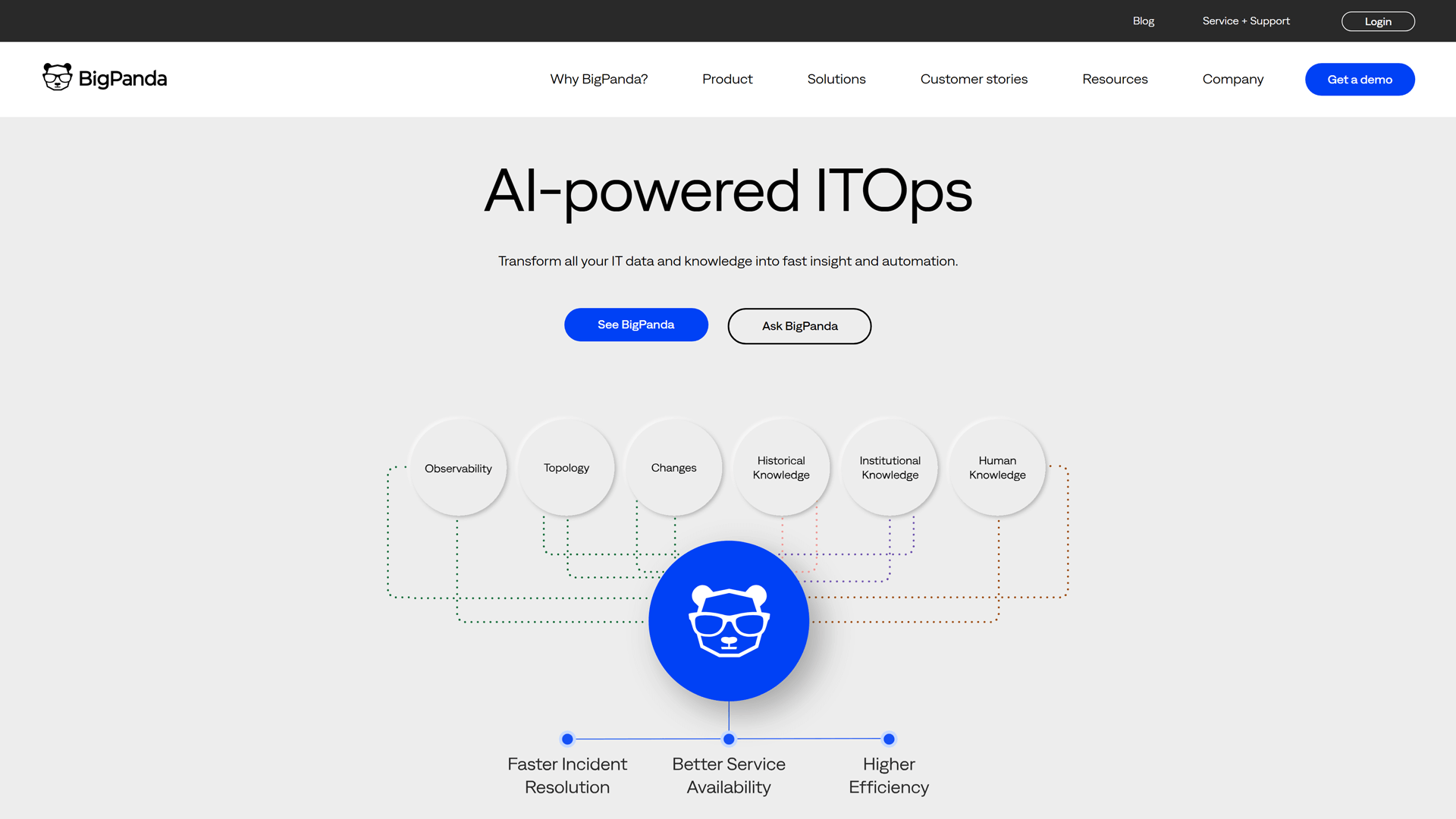
BigPanda is a solution that uses AI and machine learning to automate the detection and response to incidents, particularly in complex IT environments.
Features
- Automated Incident Management: Streamlines incident detection and resolution through intelligent automation, reducing manual effort.
- AI-Powered Insights: Leverages machine learning to correlate alerts and provide actionable insights for faster troubleshooting.
- Integration Capabilities: Seamlessly connects with various monitoring tools and ITSM platforms for a unified incident response.
- Collaboration Tools: Facilitates team communication during incidents with built-in chat and collaboration features.
- Customizable Dashboards: Offers personalized dashboards for real-time visibility into incidents and system health.
- Post-Mortem Analysis: Provides detailed reports and analytics to improve future incident response and prevent recurrence.
Advantages
- AI-driven Automation: Leverages AI to automate incident detection, correlation, and response, reducing the manual workload on teams.
- Unified Platform: Provides a single platform for managing incidents across multiple systems and environments.
- Integration with Security Tools: Integrates with various security and monitoring tools to provide a comprehensive incident management solution.
- Operational Efficiency: Enhances operational efficiency by automating routine tasks and providing actionable insights during incidents.
Pricing
Free Plan: A lite version comes without any fee.
Enterprise Plan: A company-wide license starts at $1,500 per month.
Conclusion
These alternatives to Rootly offer a variety of features, from AI-driven automation to real-time monitoring and customizable workflows, catering to the needs of DevOps teams, IT security professionals, and enterprises looking to streamline their incident management processes.
Whether you’re looking for cost-effective solutions, advanced analytics, or deep integrations, and monitoring the statuses of third-party dependencies, these platforms provide strong alternatives and competitors to Rootly.

FAQ
Who are the competitors of Rootly?
Competitors of Rootly include StatusGator, PagerDuty, Blameless, and Incident.io face competition from various incident management platforms that offer robust automation capabilities, monitoring tools, and communication features. Top Rootly alternatives include OpsGenie, PagerDuty, Blameless, and Incident.io. These competitors provide features like alerting, automatic escalations, and incident resolution across multiple channels, making them strong contenders in the incident management software market. When comparing Rootly to these platforms, user reviews often highlight differences in pricing, customization options, and integrations
Does Rootly offer an API?
Yes, Rootly offers a comprehensive API that allows organizations to integrate its incident management platform with other tools in their tech stack. The API supports automation capabilities such as triggering incidents, updating status pages, and logging audit trails. This helps streamline communication and collaboration across multiple channels, ensuring that end users stay informed during incidents.
What Is Rootly?
Rootly is a cloud-based incident management platform that helps organizations manage and resolve IT incidents efficiently. Rootly features automated workflows, real-time alerts, and communication tools that prioritize quick incident resolution. Rootly also offers features like audit trails and post-incident reviews to help teams learn from past incidents. The platform supports seamless collaboration across multiple channels, making it a comprehensive solution for incident management.
What languages does Rootly support?
Rootly currently supports English, making it accessible to a wide range of users. While it primarily caters to English-speaking markets, the platform’s focus on automation capabilities and user-friendly design ensures that language barriers are minimized for global teams.
Why Look For Rootly Alternatives?
Users look for alternatives due to specific needs such as more advanced monitoring capabilities, customization options, or different pricing models. Alternatives like OpsGenie and New Relic may provide better automation capabilities or more comprehensive communication channels. StatusGator offers cloud status monitoring of nearly 4,700 providers. Additionally, user reviews often highlight the need to compare Rootly pricing and features with other platforms to find the best fit for specific business needs. Exploring Rootly alternatives can help organizations find a platform that prioritizes their unique requirements, from incident resolution to cross-channel communication.