


StatusGator+Better Uptime
Open and resolve incidents at Better Uptime.
Overview
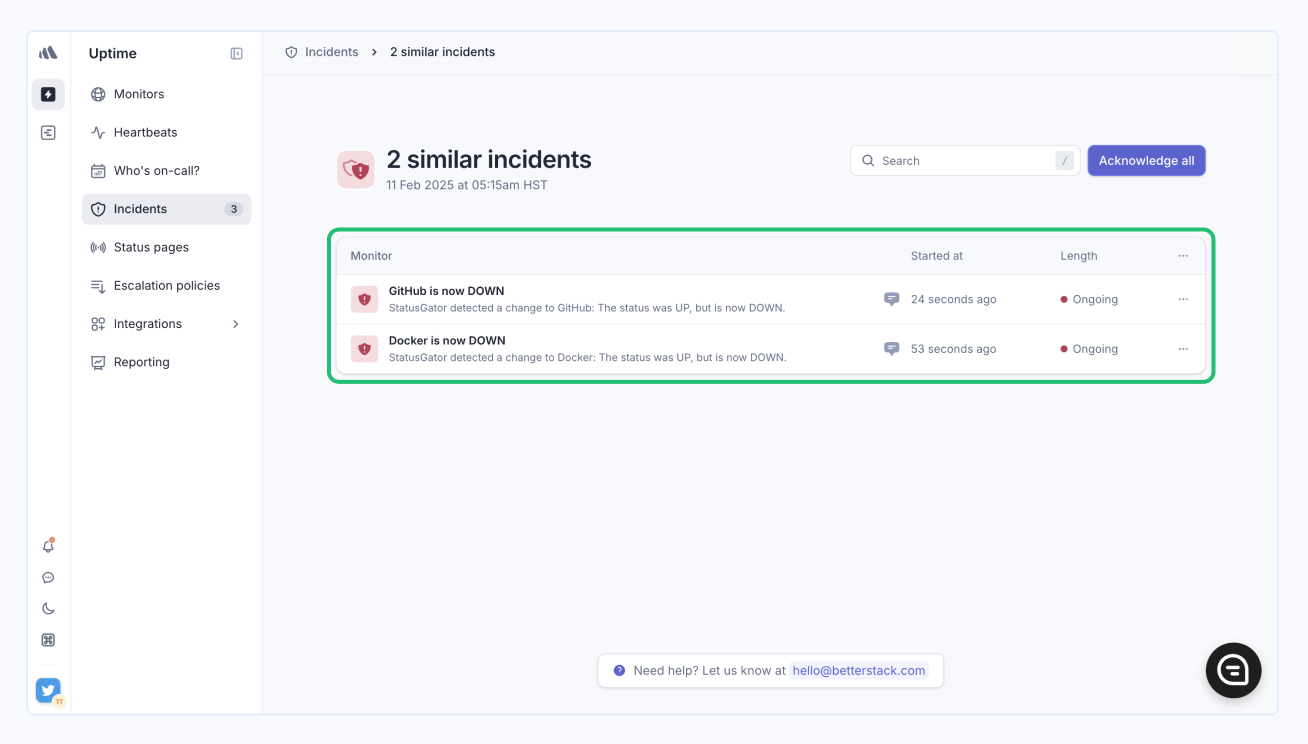
Integrating your StatusGator account with Better Uptime ensures that your team is promptly alerted whenever one of your monitored services goes down. This integration automatically creates an incident on Better Uptime, streamlining your incident management process and helping you respond quickly to service disruptions.
By combining StatusGator's comprehensive monitoring capabilities with Better Uptime's incident management, you can enhance your team's efficiency and maintain high service reliability
Key features
- Automated incident creation: StatusGator automatically generates incidents in your Better Uptime account whenever a monitored service experiences downtime.
- Comprehensive incident details: Receive detailed reports, including incident messages, affected components, and direct links to the service’s status page and your StatusGator dashboard.
- Seamless integration: Effortlessly connect your StatusGator account with Better Uptime using an API token for streamlined incident management.
Integration details
Start free trialCategory
Supports
- Incidents
Available on plans
Business plans
-
Free
-
Starter
-
Team
-
Corporate
-
Enterprise
Education plans
-
Free
-
Small
-
Medium
-
Large
-
Extra Large
Resources
Help docFrequently asked questions
-
How do I integrate StatusGator with Better Uptime?
To integrate your StatusGator account with Better Uptime, go to the Integrations page in your StatusGator account, locate the Better Uptime option under the Incident Management category, and follow the setup instructions to connect using your API token. -
What happens when a service goes down?
When one of your monitored services experiences downtime, StatusGator will automatically create an incident in your Better Uptime account, providing you with detailed incident reports and helping you manage the disruption effectively. -
What incident details will I receive in Better Uptime?
You’ll receive comprehensive incident reports that include incident messages, affected components, direct links to your service's status page, and links to your StatusGator board for further investigation. -
Can I use an API key to set up the integration?
Yes, the integration requires an API token to connect your StatusGator account with Better Uptime for seamless incident management. -
Is it possible to manage incidents across multiple services?
Yes, the integration will generate incidents for each monitored service that goes down, allowing you to manage multiple service disruptions directly within Better Uptime. -
Will the integration automatically close incidents when services come back up?
The integration does not currently close incidents automatically. However, you can manage this manually within Better Uptime or follow any custom workflows you have in place.
Can't find your question? Email us to arrange a time to discuss. We'd love to chat!
Other integrations

FireHydrant
Open and resolve incidents at FireHydrant.

Opsgenie
Open and resolve incidents at Opsgenie.

PagerDuty
Open and resolve incidents at PagerDuty.
We have 40 integrations. See all