


StatusGator+Atlassian Statuspage
Show StatusGator data on your Atlassian Statuspage.
Overview
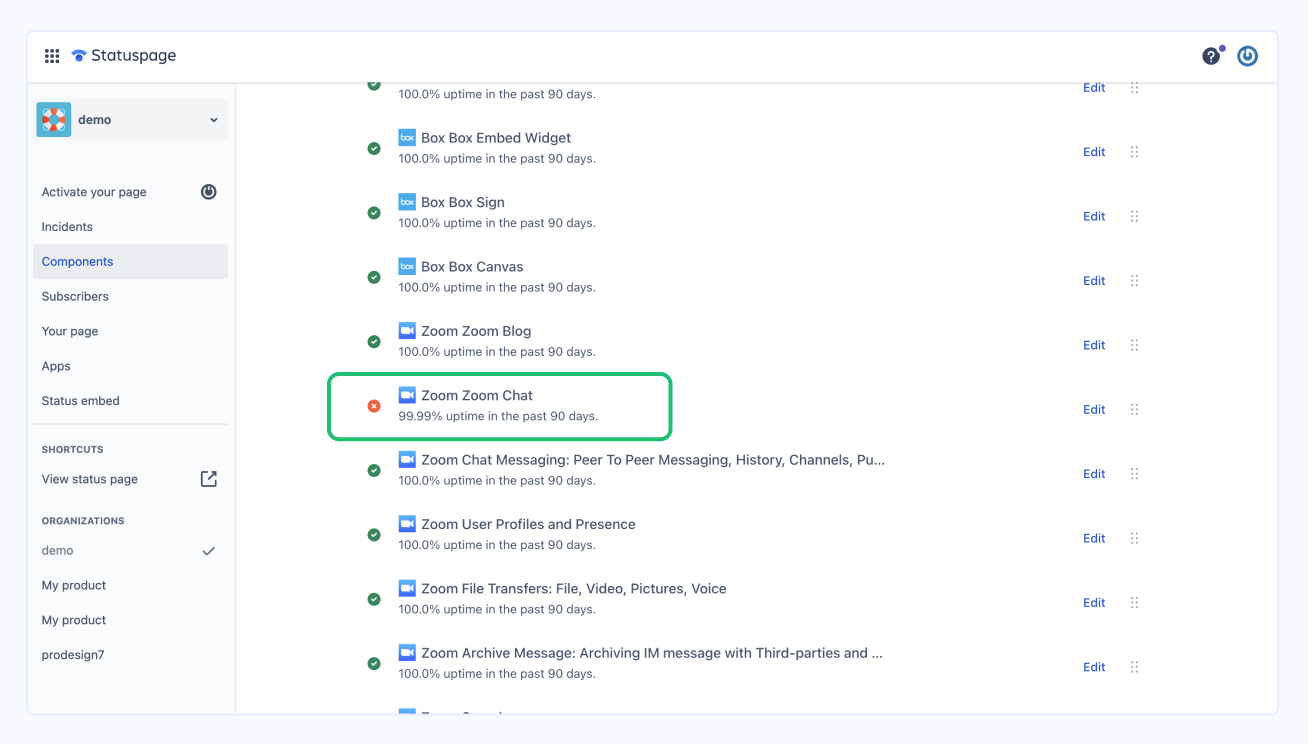
Integrating StatusGator with Atlassian Statuspage enables seamless communication of service status updates to stakeholders. Atlassian Statuspage, a widely used status page hosting platform, allows organizations to publish status pages publicly or privately and integrates with various data sources. By connecting your StatusGator and Atlassian Statuspage accounts, you can automatically send data from StatusGator to Statuspage. This integration ensures that when your cloud vendors experience outages, StatusGator detects the changes and updates corresponding components on your Atlassian Statuspage.
Key features
- Automatic service status updates: Automatically update the status of services on your Atlassian Statuspage when changes are detected in the status of your monitored services through StatusGator.
- Seamless integration: Connect your StatusGator account with Atlassian Statuspage using API credentials and Page ID for smooth synchronization.
- Real-time synchronization: Ensure that your Atlassian Statuspage components always reflect the latest status of your monitored services in real-time.
- Efficient incident management: Automatically update the corresponding components on your Statuspage when there are outages or disruptions in your cloud vendor services.
- Customizable service mapping: Map StatusGator monitors to corresponding components on your Atlassian Statuspage to maintain consistency and accurate reporting.
- Improved transparency: Keep your stakeholders and end-users informed with automatic, up-to-date status updates on your Atlassian Statuspage.
Integration details
Start free trialCategory
Supports
- Incidents
Available on plans
Business plans
-
Free
-
Starter
-
Team
-
Corporate
-
Enterprise
Education plans
-
Free
-
Small
-
Medium
-
Large
-
Extra Large
Resources
Help docFrequently asked questions
-
How do I integrate StatusGator with Atlassian Statuspage?
To integrate your StatusGator account with Atlassian Statuspage, go to the Integrations page in your StatusGator account, find the Atlassian Statuspage option under the Status Page category, and follow the setup instructions to link your accounts using API credentials and Page ID. -
What happens when a service goes down?
When one of your monitored services experiences downtime, StatusGator automatically updates the corresponding component in your Atlassian Statuspage account, reflecting the status change in real-time. -
Can I map specific services to components in Atlassian Statuspage?
Yes, you can map specific StatusGator monitors to corresponding components in Atlassian Statuspage, ensuring consistent and accurate reporting for your services. -
Will the status be synchronized in real-time?
Yes, StatusGator automatically synchronizes your monitored service status with Atlassian Statuspage in real-time, ensuring your page is always up to date.
Can't find your question? Email us to arrange a time to discuss. We'd love to chat!
Other integrations

We have 40 integrations. See all