


StatusGator+Status Modal
Embed a summary and link to your status page.
Overview
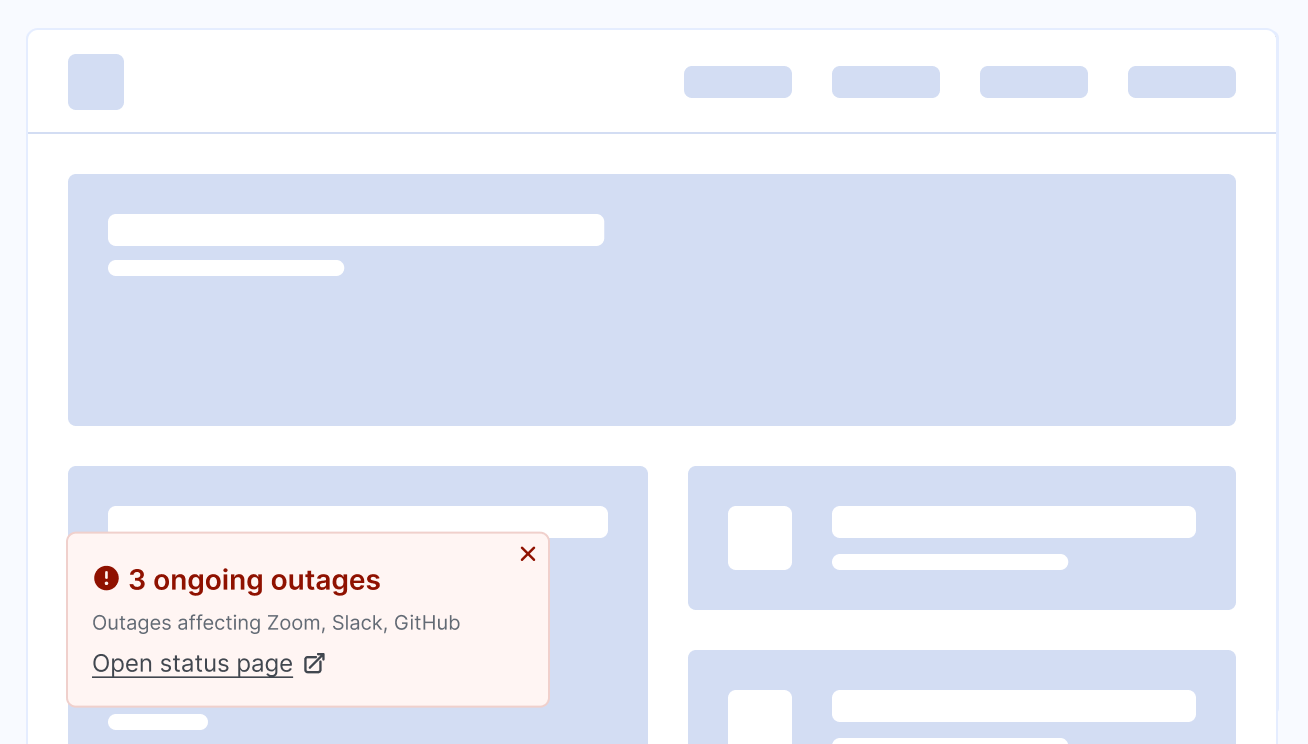
Keep your users informed of outages and service disruptions with the Status Modal integration. This compact, on-page modal provides a quick summary of your current service status and links to your full status page. With a subtle but effective interface, the Status Modal builds transparency and trust -- right where your users need it most.
Key features
- Real-time status updates: Display live service status information directly on your web page to keep visitors informed.
- Customizable design: Choose between dark mode and light mode to match the style of your website. Choose the perfect position on the page by specifying the corner of your choice.
- Simple embedding: A single line of code is all you need to add the embed, which uses an iframe for a drop-in experience.
Integration details
Start free trialCategory
Available on plans
Business plans
-
Free
-
Starter
-
Team
-
Corporate
-
Enterprise
Education plans
-
Free
-
Small
-
Medium
-
Large
-
Extra Large
Resources
Help docFrequently asked questions
-
How do I embed the StatusGator status summary on my website?
To embed the StatusGator status summary, navigate to the Integrations page in your StatusGator account. Under the Embeds category, find the Status modal integration. Copy the provided embed code and paste it into the HTML of your website. -
Can I customize the appearance of the status summary?
Yes, you can customize the position, and theme of the status summary to match your website's design. Adjust these settings in the Embeds section under Integrations. -
Can I choose which services are displayed in the status summary?
The status summary will reflect all the services currently included in your StatusGator status page. It automatically updates based on your current service status, so if you need specific services displayed, you can manage them through your status page settings. -
Can I control how often the status summary is updated?
The status summary automatically updates in real-time based on your StatusGator service data.
Can't find your question? Email us to arrange a time to discuss. We'd love to chat!
Other integrations

Iframe
Embed your status page on your website.

Status Embed
Embed a summary and link to your status page.
We have 40 integrations. See all