Effective incident management and communication are crucial for maintaining operational efficiency and customer satisfaction.
While Sorry App has been a popular choice for many organizations, several alternatives can provide robust features and functionalities to enhance your incident management processes.
Here, we present the best Sorry App alternatives that can help streamline your communication and incident response efforts.
What is Sorry App?

Sorry™ is a unique digital platform designed to help users express their apologies in a thoughtful and creative manner.
With a variety of customizable templates, users can craft heartfelt messages that resonate with the recipient, making it easier to mend relationships.
The app also offers features like reminders for important dates and the ability to send virtual gifts, enhancing the overall experience of reconciliation.
Its user-friendly interface ensures that even those who are not tech-savvy can navigate the app with ease. Additionally, the Sorry App encourages users to reflect on their actions, promoting personal growth and accountability.
Whether it’s for a minor misunderstanding or a significant fallout, the Sorry™ provides a modern solution for making amends.
Main Features of Sorry App
There are some key features of Sorry App that highlight its focus on customer satisfaction. This includes:
- Incident Reporting – Users can quickly report incidents through a user-friendly interface, ensuring that issues are documented and addressed promptly.
- Real-Time Communication – The app facilitates instant communication among team members, allowing for swift updates and collaboration during incidents.
- Automated Notifications – Sorry™ sends automated alerts to relevant stakeholders, ensuring that everyone is informed about incidents as they occur.
- Analytics and Reporting – The tool provides detailed analytics and reporting features, enabling organizations to track incident trends and improve response strategies.
- Customizable Workflows – Users can tailor incident management workflows to fit their specific organizational needs, enhancing efficiency and effectiveness.
- Integrating Capabilities – Sorry App seamlessly integrates with other tools and platforms, allowing for a more cohesive incident management experience across different systems.
However, you might be looking for something different. To help you out, let’s explore the top Sorry App competitors.
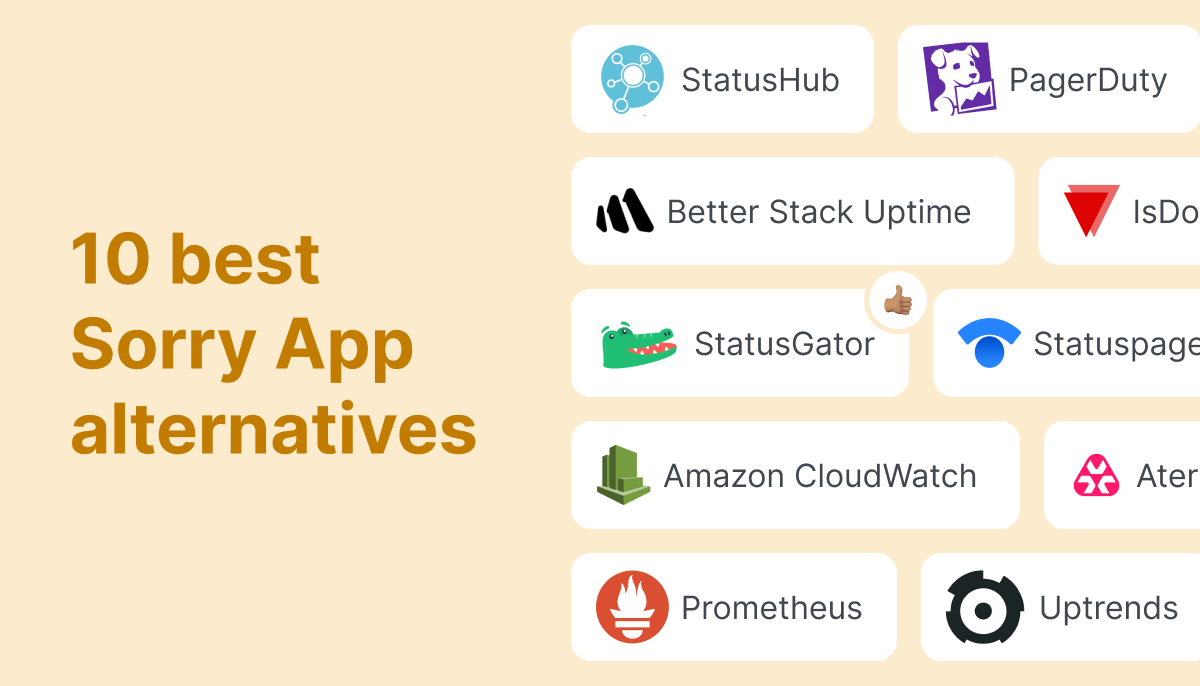
Top 10 Alternatives to Sorry App
- StatusGator
- Freshservice
- Uptime
- Instatus
- Uptime Robot
- Statuspal
- Status.io
- xMatters
- Splunk
- Statuscast
1. StatusGator

StatusGator enhances your incident management and communication. Our private status pages give you a unified view of all your third-party dependencies, addressing a common blind spot for many companies. Public status pages from StatusGator enable you to share real-time service updates with your subscribers, ensuring clear and timely communication.
Features
- Internal and External Status Pages: StatusGator allows you to set up dedicated status pages for internal teams and external audiences. This ensures that everyone, from your IT staff to your customers, stays informed with real-time updates.
- Status Aggregation: Monitor over 4,000 cloud services and SaaS providers. StatusGator aggregates status information from these services, providing a comprehensive overview of potential third-party disruptions affecting your operations.
- Custom Monitors: Create and publish custom incident updates on your status pages. This flexibility ensures that you can communicate unique incidents specific to your organization’s needs.
- Instant Notifications: Receive and send instant notifications via multiple channels, including Slack, MS Teams, email, SMS, webhooks, and API integration. This ensures timely and effective communication and reduces response times.
- Status Widgets and Embed Options: Integrate status updates directly into your website or intranet with customizable status widgets and JavaScript or iframe embeds. This makes it easy for stakeholders to access the latest information.
- TV Integration: Display your status page on office TVs to keep your team continuously informed about the status of your services and systems.
Advantages
- Enhanced Transparency and Trust: StatusGator helps build trust with customers and employees by providing clear and consistent communication during incidents, enhancing your organization’s credibility.
- Improved Response Times: With real-time notifications and centralized status information, your team can respond to incidents more quickly and effectively, minimizing downtime and disruptions.
- Reduced Support Tickets: Proactively communicating incidents and updates reduces the volume of support tickets, freeing up your support team to focus on resolving issues.
- Comprehensive Monitoring: StatusGator’s ability to monitor thousands of third-party services ensures that you are aware of any external factors that might affect your operations, allowing for proactive incident management.
- Seamless Integrating: With multiple integrating options, StatusGator fits smoothly into your existing workflow, making it easier to manage incident communication without disrupting your processes.
Using StatusGator as your incident communication tool means you can handle incidents with greater efficiency and clarity, ensuring that all stakeholders remain informed and confident in your response capabilities.

Prices
StatusGator offers flexible price plans designed to suit teams and organizations of all sizes, with both public and private status page options as well as robust third-party monitoring. There are four primary plans:
- Free Plan: Ideal for small teams or individual users, the Free Plan includes basic monitoring for up to 3 services. You can track the status of your essential cloud providers and receive email notifications when issues arise.
- Startup Plan: At $79 per month, the Startup Plan supports up to 15 services. This plan includes access to both public and private status pages, service monitoring, and customizable notifications via Slack, MS Teams, and more.
- Business Plan: Priced at $149 per month, this plan supports up to 50 services and includes advanced features like custom domains, branding, and real-time notifications via multiple channels. Ideal for growing teams that rely on numerous cloud services.
- Enterprise Plan: For larger organizations, the Enterprise Plan offers custom pricing. It includes unlimited services, advanced security features, dedicated support, and tailored integration for incident communication and monitoring.
StatusGator’s cost structure ensures flexibility for teams of all sizes, providing critical incident and status monitoring for both internal teams and external customers.
2. Freshservice

Freshservice is a cloud-based IT service management (ITSM) tool designed to streamline incident management and enhance communication within teams.
It offers a user-friendly interface that allows organizations to efficiently track and resolve incidents while providing real-time updates to stakeholders. With features like automated ticketing, a self-service portal, and robust reporting capabilities, Freshservice helps teams reduce response times and improve overall service delivery.
This tool is particularly well-suited for businesses looking to enhance their IT support processes and maintain clear communication during incidents.
Features
- Incident Management: Streamlined ticketing system for tracking and resolving incidents efficiently.
- Automated Workflows: Customizable automation to reduce manual tasks and improve response times.
- Self-Service Portal: User-friendly interface for customers to report issues and access knowledge base articles.
- Real-Time Notifications: Instant alerts via email or mobile to keep teams informed of incident updates.
- Reporting & Analytics: Comprehensive dashboards and reports to analyze incident trends and team performance.
Advantages
- User-Friendly Interface: Freshservice offers an intuitive design that simplifies incident management, making it easy for teams to navigate and resolve issues quickly.
- Integrated ITSM Features: With built-in IT service management (ITSM) capabilities, Freshservice streamlines incident tracking, asset management, and change management in one platform.
- Automating Capabilities: The tool includes automating features that help reduce manual tasks, allowing teams to focus on critical incidents and improve response times.
- Customizable Workflows: Freshservice allows users to create tailored workflows that fit their specific incident management processes, enhancing efficiency and adaptability.
- Multi-Channel Support: Users can receive and manage incidents through various channels, including email, chat, and phone, ensuring seamless communication.
- Robust Reporting and Analytics: Freshservice provides detailed reporting tools that help teams analyze incident trends and performance, enabling data-driven decision-making.
Prices
- Starter Plan: Priced at approximately $29 per agent per month (billed annually), the Starter Plan is perfect for small teams. It includes essential ITSM features such as incident management, a self-service portal, and email integration, along with limited automating and reporting capabilities.
- Growth Plan: At around $49 per agent per month (billed annually), the Growth Plan caters to expanding teams. It encompasses all Starter Plan features, plus change and problem management, advanced reporting, and integrations with other Freshworks products and third-party applications.
- Pro Plan: For larger organizations, the Pro Plan is available for about $95 per agent per month (billed annually). This plan includes all features from the Growth Plan, along with asset management, advanced automating, custom roles and permissions, and enhanced security features.
- Enterprise Plan: Starts at $119 per agent per month, and additionally offers sandbox, audit logs, 20,000 orchestration transactions every month per one account, and also Beta features.
3. Uptime.com

Uptime.com is an innovative tool designed for incident management and communication, helping teams respond swiftly to service disruptions.
It streamlines the process of reporting and tracking incidents, ensuring that all stakeholders are informed in real time. With its user-friendly interface, Uptime.com facilitates effective collaboration among team members, minimizing downtime and enhancing operational efficiency.
This tool is essential for organizations looking to improve their incident response strategies and maintain high service availability.
Features
- Real-Time Monitoring: Uptime.com provides real-time monitoring of your website and services, ensuring that you are immediately alerted to any downtime or performance issues.
- Customizable Pages: Users can create fully customizable pages that reflect their brand identity, allowing for seamless communication with customers during incidents.
- Incident Communication: Uptime.com excels in incident communication, providing users with the tools to effectively communicate outages and incidents to their customers. This can help reduce confusion and improve customer trust during downtimes.
- Historical Uptime Reports: The platform provides detailed historical uptime reports, allowing users to analyze service performance over time and make informed decisions based on data.
- Integrations with Popular Tools: Uptime.com integrates with various tools and platforms, such as Slack, Discord, and Zapier, enabling teams to streamline their incident management processes and improve communication.
These features make Uptime.com a strong contender in the incident management and communication space, providing users with the tools they need to effectively manage service outages and maintain transparency with their customers.
Advantages
When it comes to incident management and communication, Uptime.com is a notable alternative to Sorry App. Here are some of the advantages of using Uptime.com for your status-monitoring needs:
- Detailed Reporting and Analytics: Detailed reporting and analytics on service performance and incident history.
- Mobile Accessibility: Mobile-friendly pages ensure that users can access real-time updates on their devices. This is particularly useful for teams that are often on the go or for users who prefer mobile access.
- Multi-Channel Notifications: multi-channel notification options, including email, SMS, and integrations with popular messaging platforms like Slack.
- Integrating Capabilities: integrates with a variety of third-party tools and services, allowing for a more streamlined workflow. This can enhance your incident management processes and improve overall efficiency.
- Affordable: competitive plans that cater to businesses of all sizes. This affordability makes it an attractive option for startups and small businesses looking for effective incident management solutions without breaking the bank.
- Community Support and Resources: Uptime.com has a strong community and offers a wealth of resources, including documentation, tutorials, and customer support. This can help users maximize value from using the platform.
Prices
- Starter Plan: from $20 per month Ideal for basic monitoring, offering 30 basic checks, 1 transaction check, 1 API check, 1 status page, and 50K pageviews for real user monitoring. Includes limited global check locations with a minimum check frequency of 5 minutes.
- Essential Plan: from $67 per month: Designed for standard monitoring needs, featuring 50 basic checks, 5 transaction checks, 10 API checks, 2+ status pages, 200K pageviews, and global check locations with a 3-minute minimum frequency. It also includes a free 1-hour strategy session.
- Premium Plan $285 per month: Best for growing companies, offering 200 basic checks, 15 transaction checks, 20 API checks, 5 page speed checks, 4 status pages, and 1.5M pageviews. Includes unlimited global check locations, 1-minute check frequency, and enhanced real user monitoring.
There’s a customizable plan for enterprises available too.
4. Instatus

Instatus is a user-friendly incident management and communication tool designed to help businesses keep their customers informed during service disruptions.
It offers customizable pages that can be easily integrated into your existing website, allowing for seamless communication of real-time updates. With features like incident tracking and performance monitoring, Instatus ensures that your users are always in the loop about the status of your services.
Its intuitive interface makes it accessible for teams of all sizes, streamlining the process of incident reporting and management.
Features
- Customizable Pages: Create branded pages that reflect your company’s identity and provide real-time updates.
- Incident Management: Efficiently manage incidents with detailed reports and timelines, ensuring clear communication during outages.
- Multi-Channel Notifications: Send updates via email, SMS, and webhooks to keep stakeholders informed across various platforms.
- Uptime Monitoring: Track the performance and uptime of your services with automated checks and alerts.
- Integrating: Seamlessly connect with popular tools like Slack, Discord, and Zapier for enhanced workflow automation.
- Analytics Dashboard: Gain insights into incident trends and user engagement with comprehensive analytics and reporting features.
Advantages
- User-Friendly Interface: a clean and intuitive design that makes it easy for teams to set up and manage their pages without technical expertise.
- Custom Branding: Users can fully customize their pages to reflect their brand identity, enhancing customer trust and recognition.
- Real-Time Updates: Instatus provides instant updates during incidents, ensuring users and customers are always informed about service statuses.
- Integrating Capabilities: integrates with popular tools like Slack and Discord, allowing teams to communicate incidents effectively.
- Incident History: Offers a comprehensive log of past incidents, helping teams analyze performance and improve future responses.
- Affordable: Competitive plans make Instatus accessible for startups and small businesses, providing essential features without breaking the bank.
Prices
- Free Plan: Perfect for individuals or small teams, the Free Plan allows users to create 1 status page with unlimited subscribers. It includes basic incident reporting and email notifications, making it a great starting point for smaller operations.
- Startup Plan: At $20 per month, the Startup Plan includes 1 public status page with the ability to add custom domains and branding. It supports advanced incident communication features, real-time updates, and integrating capability with tools like Slack and Microsoft Teams.
- Business Plan: Priced at $300 per month, the Business Plan supports 3 status pages of any type, SSO. This plan is ideal for businesses managing multiple services or customer segments.
A private page costs $50 per month. A status page for a selected audience costs $100 per month.
5. Uptime Robot
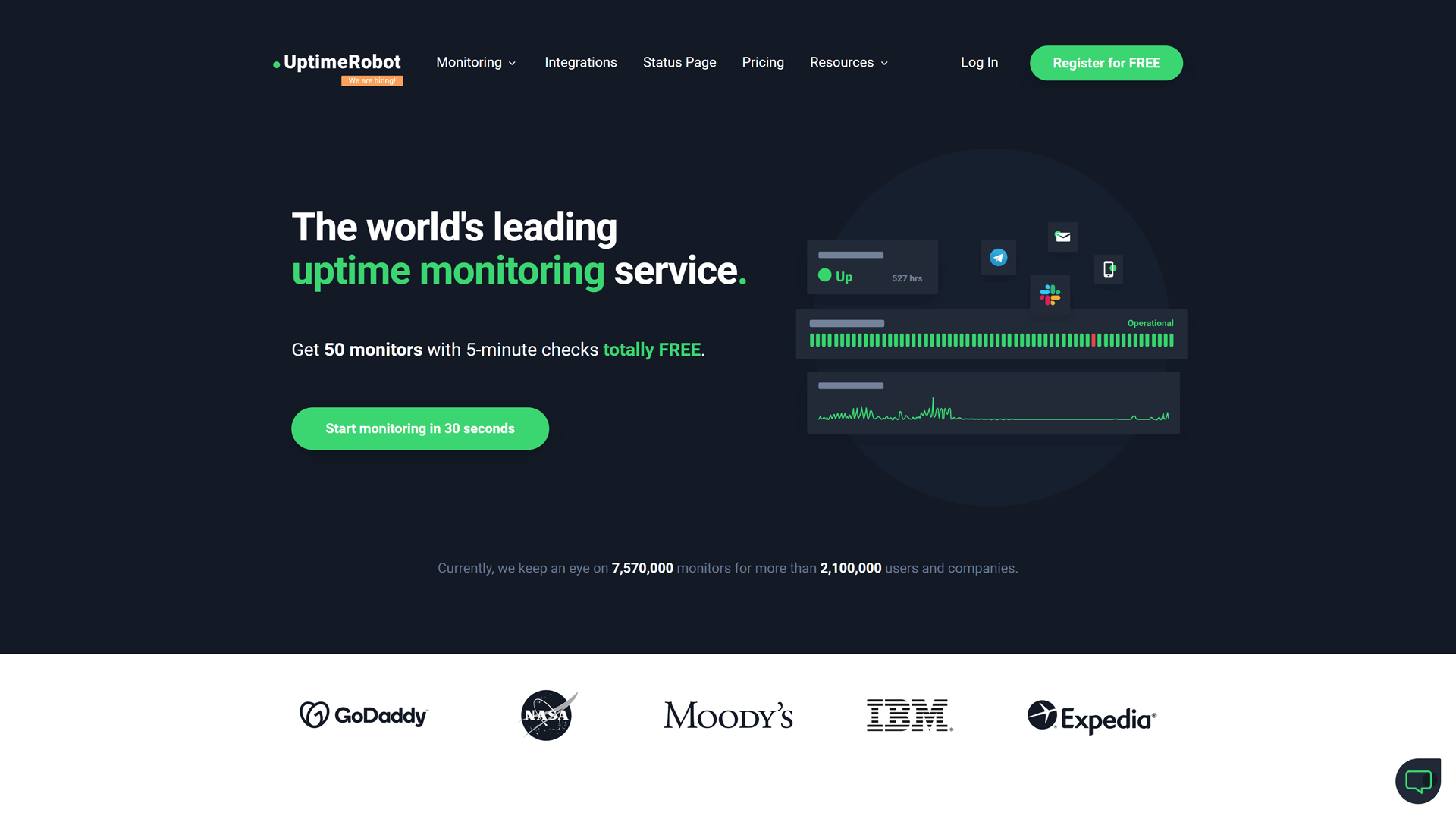
Uptime Robot is a reliable incident management and communication tool designed to monitor the uptime of websites and services.
It offers real-time alerts and notifications, ensuring that users are promptly informed of any outages or performance issues. With its user-friendly interface, UptimeRobot allows teams to easily track the status of their critical services and receive updates via email, SMS, or push notifications.
This tool is particularly beneficial for businesses looking to maintain high availability and enhance their incident response strategies.
Features
- Uptime Monitoring: Tracks website uptime every 5 minutes, ensuring you’re alerted to any downtime quickly.
- Multi-Protocol Support: Monitors HTTP(s), ping, port, and keyword, providing versatile monitoring options.
- Alerts & Notifications: Sends instant alerts via email, SMS, or integrations with popular apps like Slack.
- Status Page: Offers a customizable public status page to communicate service health to users.
- Reporting: Provides detailed uptime reports and analytics to help identify trends and issues.
Advantages
- User-Friendly Interface: UptimeRobot offers an intuitive dashboard, making monitoring their services easy without a steep learning curve.
- Affordable: With a free tier and competitive paid plans, UptimeRobot provides cost-effective monitoring solutions for businesses of all sizes.
- Multiple Monitoring Types: It supports various monitoring methods, including HTTP(s), ping, and port monitoring, catering to diverse needs.
- Custom Alerts: Users can set up personalized notifications via email, SMS, or integrations, ensuring timely incident communication.
- Historical Data: UptimeRobot retains historical uptime data, allowing users to analyze performance trends and improve service reliability.
- API Access: The robust API enables seamless integrating with other tools, enhancing workflow automation and incident management capabilities.
Prices
- Free Plan: Ideal for hobby projects with 50 monitors, 5-minute intervals, HTTP/port/ping monitors, and basic status pages. Limited to 5 integrations.
- Solo Plan for $7 per month with 10 monitors or $15 per month for 50 monitors: Suitable for solopreneurs, offering 1-minute intervals, 9 integrations, and SSL/domain expiration monitoring. Includes basic status pages but no login seats.
- Team Plan for $29 per month and 100 monitors: Designed for small teams with 100 monitors, 1-minute intervals, full-featured status pages, 12 integrations, and 3 login/notify seats.
- Enterprise Plan for $54 per month and 200 monitors: For larger teams, featuring 30-second intervals, 12 integrations, full status pages, and 5 login/notify seats for better collaboration.
6. Statuspal

Statuspal is an incident management and communication tool designed to help businesses maintain transparency during service disruptions.
It offers customizable pages that can be tailored to reflect your brand, ensuring that users receive timely updates on incidents and outages. With real-time monitoring capabilities, Statuspal allows teams to track the performance of their services and communicate effectively with stakeholders.
Its user-friendly interface and integrating options make it a solid choice for organizations looking to enhance their incident response and communication strategies.
Features
- Customizable Pages: Create branded pages that reflect your company’s identity and provide real-time updates.
- Incident Management: Efficiently manage incidents with detailed reports and timelines to keep users informed.
- Multi-Channel Notifications: Send updates via email, SMS, and webhooks to ensure users receive timely information.
- Uptime Monitoring: Monitor the uptime of your services and receive alerts for any downtime or performance issues.
- Analytics Dashboard: Access insights and analytics to track incidents and improve response strategies over time.
Advantages
- Customizable Status Pages: Statuspal offers highly customizable status pages, allowing businesses to tailor the look and feel to match their branding.
- Real-Time Updates: Users benefit from real-time status updates, ensuring transparency and timely communication during outages.
- Integrating Capabilities: Statuspal integrates seamlessly with popular tools like Slack and Zapier, enhancing workflow efficiency.
- User-Friendly Interface: The intuitive interface makes it easy for teams to set up and manage their pages without technical expertise.
Prices
Statuspal offers both status page management and monitoring, with flexible pricing.
- Free Plan: Basic monitoring with 1 status page and limited customization.
- Startup Plan: $79 per month, includes 1 status page, custom domains, and up to 2,500 subscribers.
- Business Plan: $149 per month, includes 3 status pages, advanced customization, and 5,000 subscribers.
- Enterprise Plan: Custom prices for larger businesses, including unlimited status pages, subscribers, and tailored support.
7. Status.io

Status.io is a robust incident management and communication tool designed to help businesses maintain transparency during service disruptions.
It offers customizable status pages that can be tailored to reflect your brand, ensuring that your users receive timely updates on incidents and outages. With features like real-time monitoring and incident reporting, Status.io enables teams to communicate effectively and reduce the volume of support tickets.
Its user-friendly interface and integrating capabilities make it a solid choice for organizations looking to enhance their incident response strategy.
Features
- Customizable Pages: Create branded status pages that reflect your company’s identity and provide real-time updates.
- Incident Management: Efficiently manage incidents with detailed reports and timelines to keep users informed.
- Multi-Channel Notifications: Send updates via email, SMS, and webhooks to ensure users receive timely information.
- Uptime Monitoring: Monitor the uptime of your services and receive alerts for any disruptions.
- Integrating Capabilities: Seamlessly integrate with external data to display as a metric on your status page.
Advantages
- Incident Communication: The platform excels in incident communication, providing real-time updates and detailed incident reports to keep users informed.
- Historical Data Access: The tool provides access to historical incident data, enabling teams to analyze past outages and improve future response strategies.
- Public Status API: For your customers to get fresh updates on the status of your services with the GET method.
- Infrastructure: The systems behind Status.io span across multiple regions and providers.
Prices
- Basic Plan: Priced at $79 per month, this plan includes 500 subscribers, 5 team members, basic metrics, and status automation. It’s perfect for small teams managing their status communications effectively.
- Standard Plan: At $149 per month, the Standard Plan supports up to 2,000 subscribers and 20 team members. It offers features like incident management, planned maintenance, external service monitoring, status widgets, and advanced notifications via Twitter, RSS, and SMS.
- Plus Plan: For $349 per month, the Plus Plan is tailored for larger organizations, supporting 5,000 subscribers and 50 team members. It provides advanced features such as private mode, custom branding, CSS/HTML customization, SSO, audit trail, and extra pages for testing.
All plans include core features such as custom status pages, metrics, team collaboration, and automated incident maintenance.
8. xMatters

xMatters is a robust incident management and communication platform designed to streamline the process of incident response.
It enables teams to automate notifications and manage communications during outages, ensuring that the right people are informed at the right time. With its powerful integrating capabilities, xMatters connects seamlessly with various tools and services, enhancing collaboration and efficiency.
This tool is particularly beneficial for organizations looking to minimize downtime and improve their incident resolution processes.
Features
- Real-Time Notifications: xMatters delivers instant alerts via multiple channels, ensuring your team is always informed about incidents as they happen.
- Integrating Capabilities: Seamlessly integrates with various tools and platforms, enhancing your existing workflows and incident response processes.
- Automated Workflows: Create automated communication workflows to streamline incident management and reduce response times.
- Reporting and Analytics: Provide detailed reports and analytics to help teams understand incident trends and improve future responses.
- On-Call Scheduling: Efficiently manage on-call schedules, ensuring the right team members are notified during incidents.
- Customizable Alerts: Tailor notifications to specific teams or individuals based on incident severity and type, improving relevance and response efficiency.
Advantages
- Automated Incident Response: xMatters streamline incident management with automated workflows, ensuring faster resolution times and reduced downtime.
- Integrating Capabilities: It seamlessly integrates with various tools and platforms, enhancing communication across teams and systems.
- Customizable Notifications: Users can tailor notifications based on urgency and recipient preferences, ensuring the right people are informed promptly.
- Robust Reporting: xMatters offers detailed analytics and reporting features, helping teams analyze incidents and improve future responses.
- User-Friendly Interface: The intuitive design makes it easy for teams to navigate and manage incidents effectively.
- Scalability: xMatters is suitable for businesses of all sizes, allowing for easy scaling as organizational needs grow.
Prices
- Free Plan: Limited to 5 users, includes basic incident management features and email notifications.
- Essentials Plan: Starting at $15 per user per month, offers enhanced communication tools and integration for small teams.
- Professional Plan: $35 per user per month, supports advanced incident management, real-time alerts, and reporting for larger teams.
- Enterprise Plan: Custom price, tailored solutions for large organizations, including dedicated support, advanced analytics, and extensive integrating capability.
9. Splunk

Splunk is a powerful incident management and communication tool that specializes in data analytics and monitoring. It enables organizations to collect, analyze, and visualize machine-generated data in real-time, helping teams quickly identify and respond to incidents. With robust search capabilities and customizable dashboards, Splunk provides deep insights into system performance and operational health. While it excels in data-driven incident response, it may require a steeper learning curve compared to more straightforward solutions.
Features
- Real-Time Data Monitoring: Splunk provides real-time insights into system performance and incidents, allowing teams to respond quickly to issues.
- Advanced Analytics: Leverage powerful analytics tools to identify trends and root causes of incidents, enhancing decision-making.
- Custom Dashboards: Create tailored dashboards to visualize data and monitor key metrics relevant to your organization.
- Incident Response Automation: Automate incident response workflows to streamline communication and reduce resolution times.
- Integrating Capabilities: Seamlessly integrate with various third-party applications and services for a comprehensive incident management solution.
Advantages
- Powerful Data Analytics: Splunk excels in analyzing large volumes of machine data, providing deep insights into incidents and system performance.
- Real-Time Monitoring: Offers real-time visibility into IT operations, enabling proactive incident detection and response.
- Advanced Security Features: Provides security monitoring capabilities, helping organizations identify and respond to threats quickly.
- Scalability: Suitable for businesses of all sizes, Splunk can scale to meet growing data and incident management needs.
Prices
Splunk’s pricing is more enterprise-focused, with a consumption-based model. Each plan is designed to meet specific needs, offering scalability and integration options for modern monitoring and observability across various environments.
- Splunk Observability Cloud: Starting at $15 per host per month, this plan offers real-time monitoring for any stack, including on-prem, hybrid, and multi-cloud environments. It includes AI-driven workflows and proactive issue detection.
- Infrastructure Monitoring: Starts at $15 per host per month. Provides real-time monitoring, over 200 integrations, customizable dashboards, and AI-driven alerts.
- App & Infra Monitoring: Starts at $60 per host per month. Includes all infrastructure features plus application performance monitoring (APM) and troubleshooting.
- Splunk IT Service Intelligence: Pricing is available for workload or ingest-based plans. It features predictive analytics, real-time event correlation, and intelligent alerting for proactive IT service management.
10. Statuscast

StatusCast is an incident management and communication tool designed to keep teams informed during outages and service disruptions.
It offers customizable status pages that can be tailored to reflect the unique needs of your organization, ensuring transparency with your users. With real-time updates and incident tracking, Statuscast helps reduce the volume of support tickets by providing clear communication about service statuses.
Its user-friendly interface makes it easy for teams to manage incidents and communicate effectively, fostering trust and reliability with customers.
Features
- Real-Time Status Updates: Provides instant notifications about incidents and outages, ensuring users stay informed.
- Customizable Pages: Allows users to create branded status pages that reflect their unique identity.
- Incident Communication: Facilitates effective communication during incidents, reducing confusion and improving response times.
- Historical Data Tracking: Offers insights into past incidents, helping teams analyze and improve their response strategies.
Advantages
- User-Friendly Interface: Statuscast offers an intuitive design, making it easy for teams to set up and manage their pages without extensive training.
- Incident History Tracking: The platform maintains a comprehensive log of past incidents, allowing teams to analyze trends and improve future responses.
- Integrating Capabilities: Statuscast seamlessly integrates with various tools, enhancing workflow efficiency and communication across platforms.
Pricing
StatusCast offers to get a quote, but we found pricing data on G2.com, so we cannot guarantee its validity.
- Public Starter Plan: $50 per month
Includes 100 subscribers, 1 administrator, 10 components, basic branding, email notifications, and is ideal for small teams starting with a public status page. - SMB Plan: $99 per. month
Offers everything in the Starter Plan plus support for 2,000 subscribers, 2 administrators, 25 components, SMS text message notifications, and traffic admin reporting. - Corporate Plan: $299 per month
Includes all SMB features, with 5,000 subscribers, 10 administrators, 35 components, component-level subscriptions, and basic integrations for larger businesses. - Private Plans: Starting at $99 per month
Designed for internal use, these plans include features like authenticated access, single sign-on (SAML, Okta, Active Directory), and are priced based on subscribers and components.
Pricing is determined by the need for a public or private status page, number of subscribers, and components being tracked.
Conclusion
In today’s fast-paced digital world, effective incident management and communication are crucial for businesses of all sizes.
While Sorry App has gained popularity for its user-friendly interface and features, there are several alternatives that can offer similar or even enhanced functionalities.
Whether you’re looking for better functionality, more robust features, or a different pricing model, make sure to read StatusGator blog on best Sorry App alternatives to consider.

FAQs
What are the alternatives to Sorry App?
Alternatives to Sorry App include StatusGator, Statuspage by Atlassian, Status.io, Fresh Status, and UptimeRobot. These tools provide similar features for creating public pages and managing incident communication with users.
How much does Sorry App cost?
Sorry App offers multiple pricing tiers based on the number of subscribers and features. Plans typically start at around $29 per month, with higher-tier options available for larger teams or businesses needing more advanced features like custom domains and branding.
What is the Sorry App used for?
The Sorry App is used to create customized public pages for businesses to communicate incidents, maintenance, and outages to their customers.
Does the Sorry App support custom branding?
Yes, the Sorry App allows users to customize their pages with branding, such as adding logos, custom domains, and personalized messages.
Can the Sorry App send notifications about incidents?
Yes, the Sorry App allows businesses to notify users about incidents via email and integrates with other communication tools for wider alerts.