Ensuring that your apps and services are running smoothly is crucial for maintaining business operations and customer satisfaction.
While IsDown is a popular tool for monitoring service status, several alternatives offer unique features and benefits. Here, you will find the best IsDown alternatives and competitors for cloud status monitoring in 2025.
What is IsDown?

IsDown is a popular online service that allows users to check the status of various websites and online services in real-time. It provides a simple interface where users can enter a URL to determine if a site is down or experiencing issues.
With its reliable monitoring capabilities, IsDown helps users stay informed about downtime, ensuring they can quickly address any disruptions to their online activities.
The platform also offers historical data, allowing users to track the uptime and performance of their favorite websites over time.
Additionally, this monitoring software supports notifications, alerting users when a service they rely on goes down or comes back online.
Overall, IsDown is an essential tool for anyone who wants to maintain seamless online experiences and stay updated on service availability.
IsDown Features
IsDown is a tool for cloud services status monitoring, offering several key features that enhance its functionality. Here are the key features of IsDown:
- Real-Time Status Monitoring
IsDown provides real-time updates on the status of various cloud services, allowing users to stay informed about downtime and performance issues as they happen.
- Incident Alerts
Users receive instant notifications via email or SMS when a service disruption occurs, ensuring they can respond quickly to minimize disruption.
- Historical Data Analysis
The tool offers access to historical uptime and downtime data, enabling users to analyze trends and make informed decisions about their cloud service providers.
- Customizable Status Pages
IsDown allows users to create personalized status pages for their services, which can be shared with customers to keep them informed during outages.
- Multi-Service Support
The platform supports monitoring for a wide range of cloud services, making it a versatile choice for businesses that rely on multiple providers.
- Integration Capabilities
IsDown can be integrated with various SaaS applications and services, enhancing its functionality and allowing for seamless workflows within existing systems.
Top IsDown Alternatives
- StatusGator
- StatusTicker
- Amazon Cloudwatch
- StatusHub
- Statuspage
- Status.io
- Downhound
- Freshservice
- Sorry
- IncidentHub
StatusGator

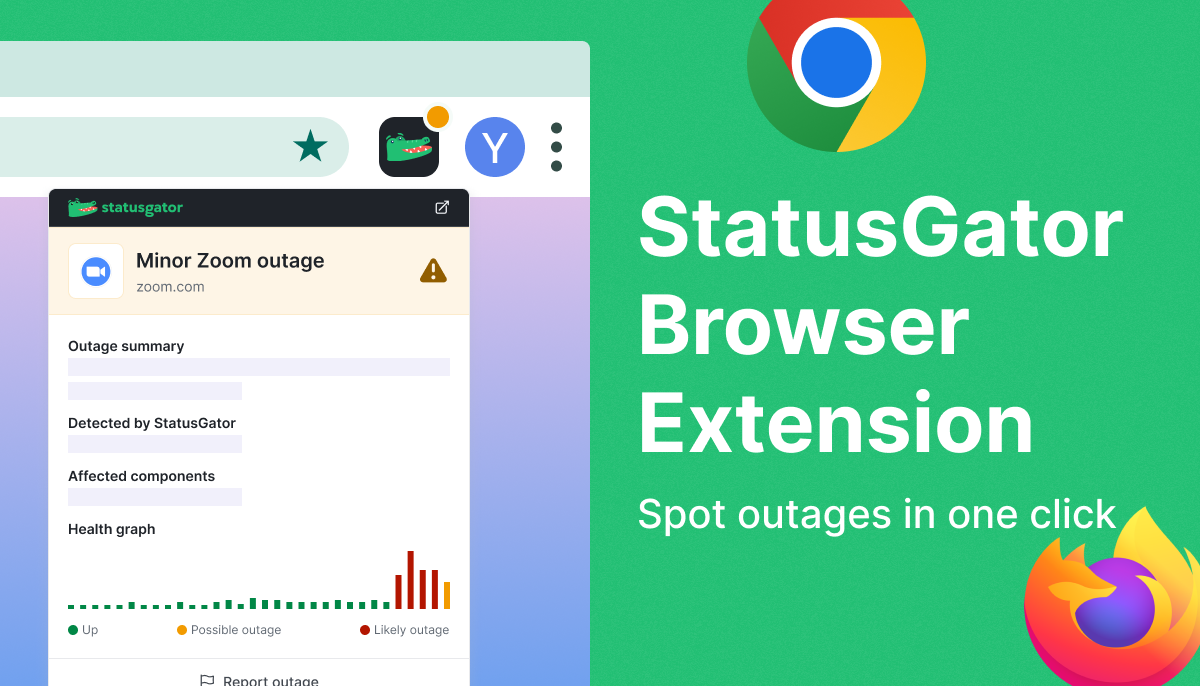
StatusGator combines status communication with cloud services’ status aggregation into a single platform. It’s an all-in-one monitoring solution that offers public and private status pages. Keep your team and customers informed with real-time updates and reduce downtime impact with proactive incident communication. The deployment of StatusGator takes only a few minutes.
Features
- Early Warning Signals: Be the first to know about cloud service outages with alerts sent ahead of official provider acknowledgments.
- Public and Private Status Pages: Keep customers informed with instant updates. Ensure internal teams have the information they need to respond quickly.
- Brand Alignment: Customize logos, favicons, and domains to match your company’s identity. Enhance your brand with tailored status pages.
- SaaS and Cloud Status Monitoring Extensive Coverage: Monitor over 6,000 cloud vendors and SaaS providers. Send us a request when you need to add a new third-party service to monitor.
- Aggregated Status: Get a comprehensive view of potential external disruptions.
- Own Website Monitoring: Keep track of your website’s uptime.
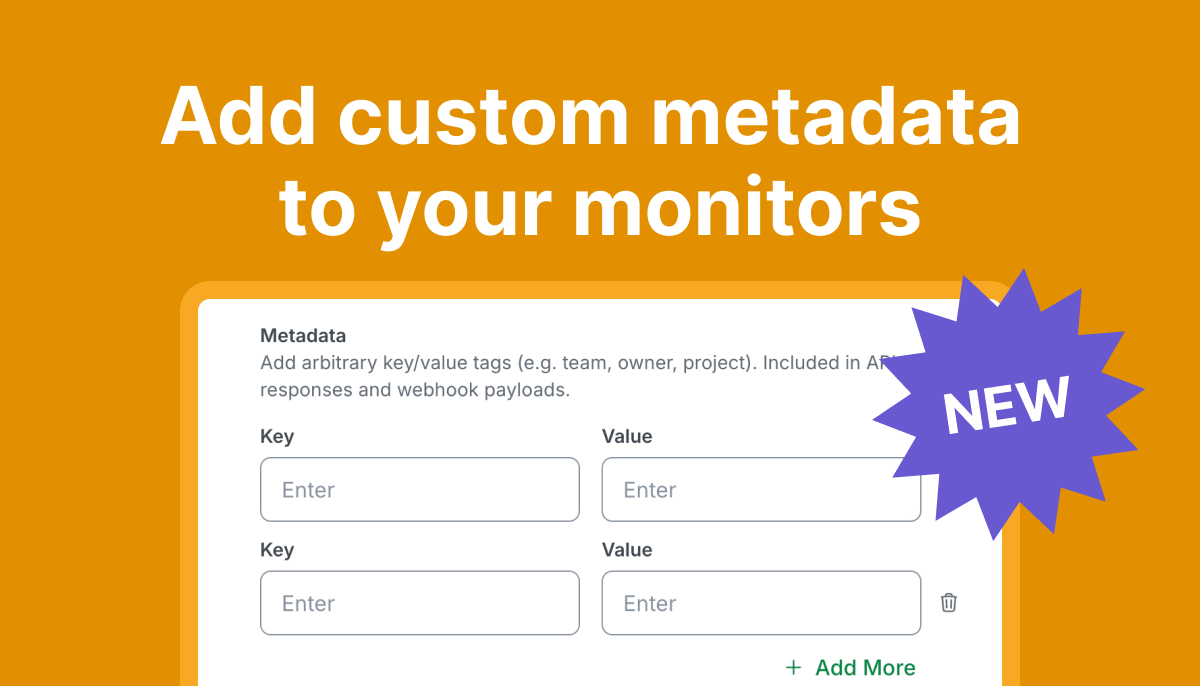
- Custom Monitors: Create and manage custom incidents for unique situations.
- Instant Alerts: Notify stakeholders via Slack, Microsoft Teams, email, SMS, webhooks, and API integrations.
- Timely Updates: Reduce uncertainty during incidents with immediate communication.
- Easy Access with Embedding: Integrate status updates into your website or intranet.
- Customizable Widgets: Use JavaScript or iframe embeds for seamless integration.
- TV Integration: Display your status page on office TVs. Keep your team informed and ready to respond.
Advantages
- Enhanced Transparency and Trust
StatusGator helps build trust with customers and employees by providing clear and consistent communication during incidents, enhancing your organization’s credibility.
- Improved Response Times
With real-time updates and centralized status information, your team can respond to incidents more quickly and effectively, minimizing downtime and disruptions.
- Reduced Support Tickets
Proactively communicating incidents and updates reduces the volume of support tickets, freeing up your support team to focus on resolving issues.
- Comprehensive Monitoring
StatusGator’s ability to monitor thousands of third-party services ensures that you are aware of any external factors that might affect your operations, allowing for proactive incident management.
- Seamless Integration
With multiple integration options, StatusGator fits smoothly into your existing workflow, making it easier to manage incident communication without disrupting your processes.
Using StatusGator as your incident communication tool means you can handle incidents with greater efficiency and clarity, ensuring that all stakeholders remain informed and confident in your response capabilities.

Pricing
StatusGator offers flexible pricing plans designed to suit teams and organizations of all sizes, with both public and private status page options as well as robust third-party monitoring.
Free Plan: Ideal for small teams or individual users, the Free Plan includes basic monitoring for up to 3 services. You can track the status of your essential cloud providers and receive email notifications when issues arise.
Starter Plan: At $72 per month, the plan supports 25 monitors and includes access to both public and private status pages, service monitoring, and customizable notifications via Slack, MS Teams, and more.
Team Plan: Priced at $137 per month, this plan supports up to 75 monitors and includes advanced features like custom domains, branding, and real-time notifications via multiple channels. Ideal for growing teams that rely on numerous providers.
Corporate Plan: at $274 for 150 monitors, 5 boards, 10 users, and 1,000 subscribers, this plan also offers 1-year history, white-label status pages, 60 API requests per minute, and all the integration options.
Enterprise Plan: For larger organizations, the Enterprise Plan offers custom pricing. It includes unlimited services, advanced security features, dedicated support, and tailored integrations for incident communication and monitoring.
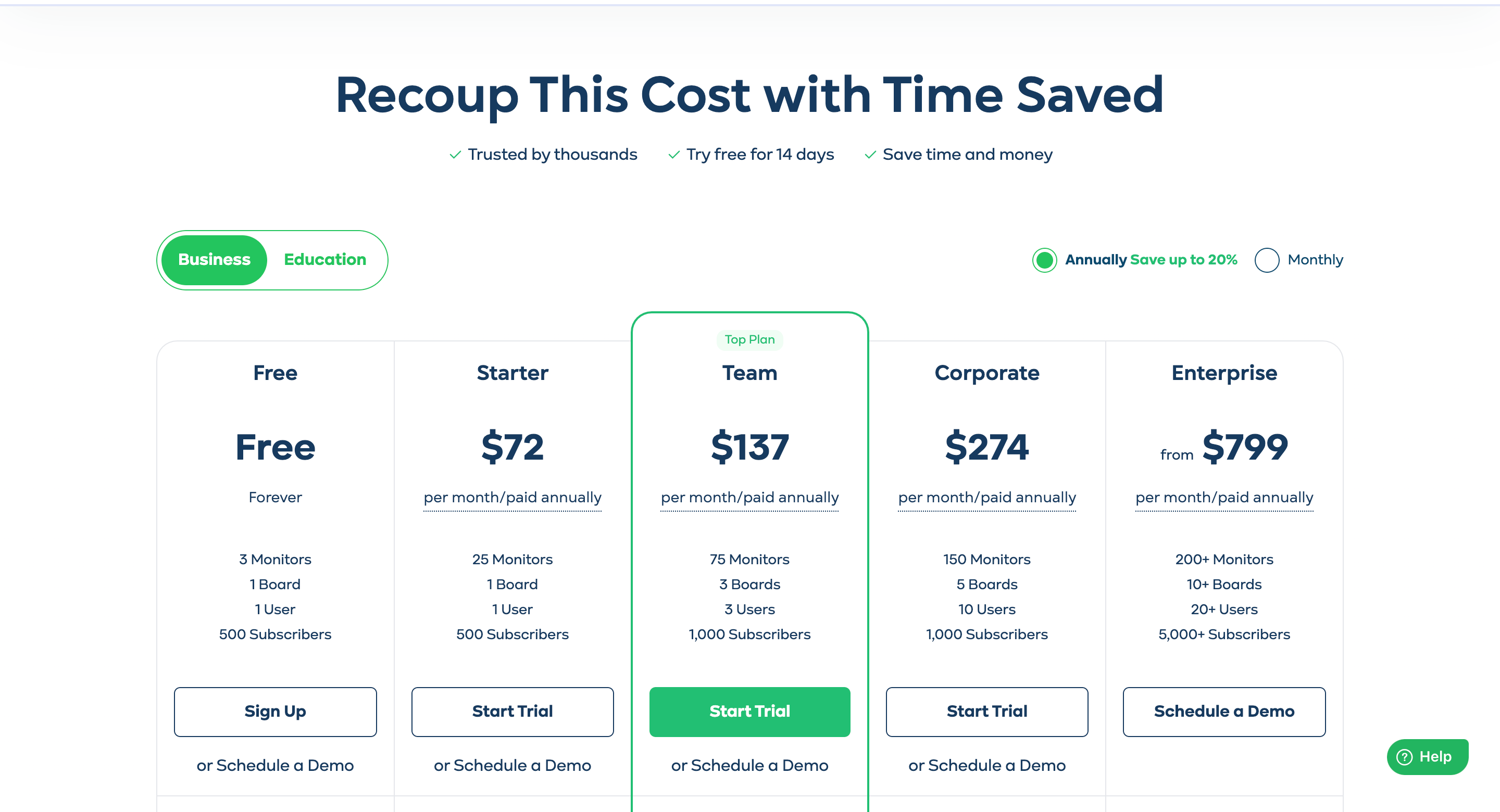
StatusGator’s pricing structure ensures flexibility for teams of all sizes, providing critical incident and status monitoring for both internal teams and external customers.
StatusTicker
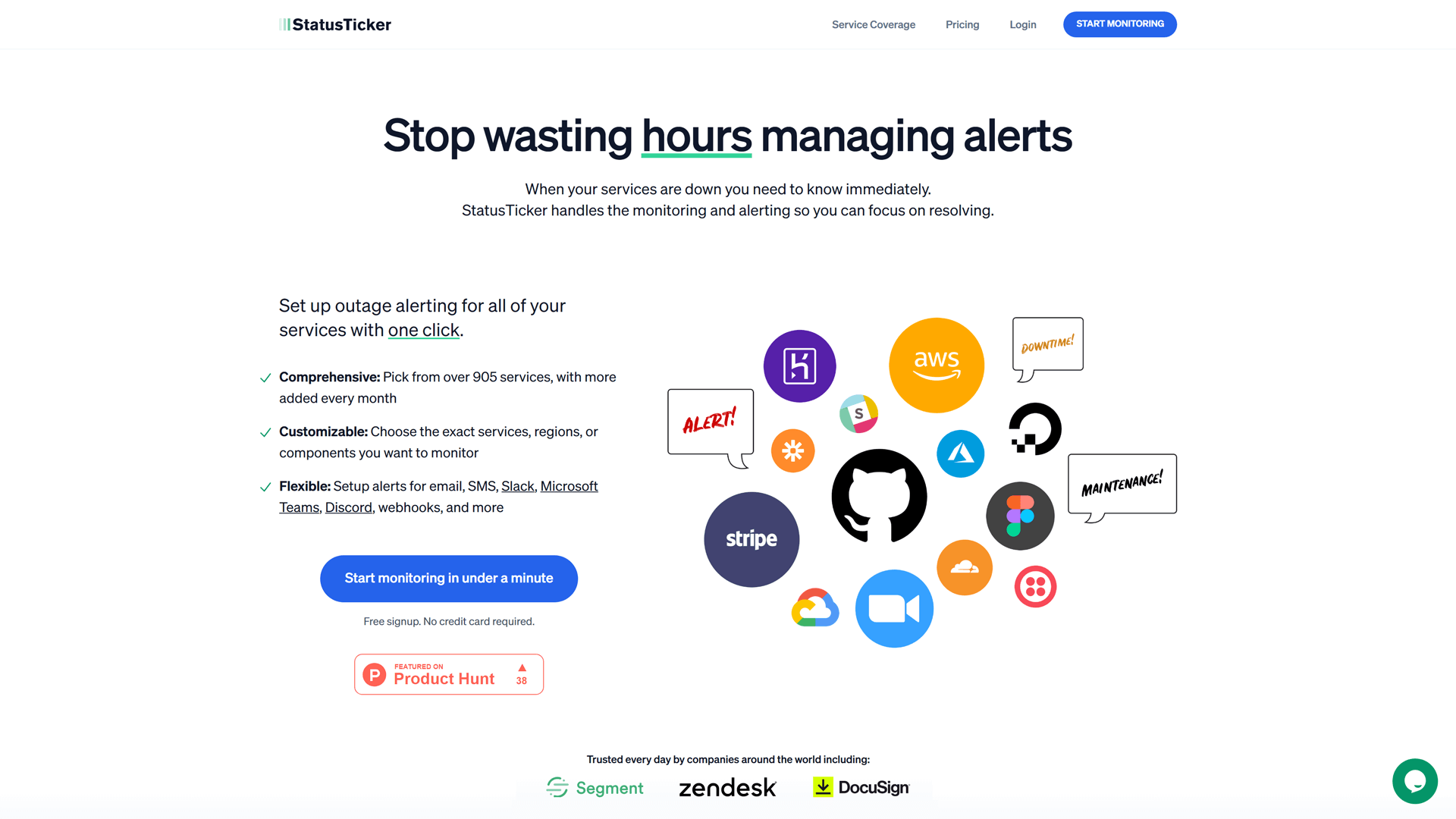
StatusTicker is a status monitoring tool that provides real-time updates on the operational status of various online services. It allows users to create customizable tickers (status pages) that can be shared with customers and stakeholders, ensuring transparency during outages or incidents.
With its user-friendly interface, StatusTicker simplifies the process of incident communication, helping teams keep their users informed without overwhelming support channels.
Additionally, it offers integration capabilities with popular communication platforms, making it a versatile choice for businesses looking to enhance their status-monitoring efforts.
Features
- Real-Time Monitoring: StatusTicker provides instant notifications and updates, ensuring users are always informed about service disruptions.
- Customizable Status Pages: Users can create personalized status pages that reflect their brand, enhancing communication with customers during incidents.
- Incident Notifications: Sends alerts for downtime and incidents, helping teams respond quickly to issues.
- Integration Capabilities: The tool seamlessly integrates with various third-party applications, allowing for streamlined incident management and communication.
- Historical Data Tracking: Offers insights into past incidents and performance trends for better decision-making.
Advantages
- User-Friendly Interface
StatusTicker offers an intuitive design, making it easy for users to navigate and monitor service statuses without a steep learning curve.
- Affordable Pricing
With competitive pricing plans, StatusTicker is a cost-effective solution for businesses looking to monitor cloud service statuses without breaking the bank.
- Comprehensive Reporting
StatusTicker offers detailed analytics and reporting features, helping users track service performance and outage history effectively.
Pricing
Pro Plan: at $9 per month, billed annually, is perfect for individuals or small teams, the Pro Plan includes unlimited monitors, 1 ticker, 1 team member, and notifications via email, Slack, MS Teams, SMS, and webhooks. It also supports TV/Wallboard mode.
Team Plan: at $20 per month, billed annually is ideal for larger teams, the Team Plan includes unlimited monitors, tickers, and team members. It offers advanced features like PagerDuty integration, public and white-labeled tickers, custom monitors, and all the same notification options as the Pro Plan.
Both plans come with a 14-day free trial to explore the features.
Amazon Cloudwatch
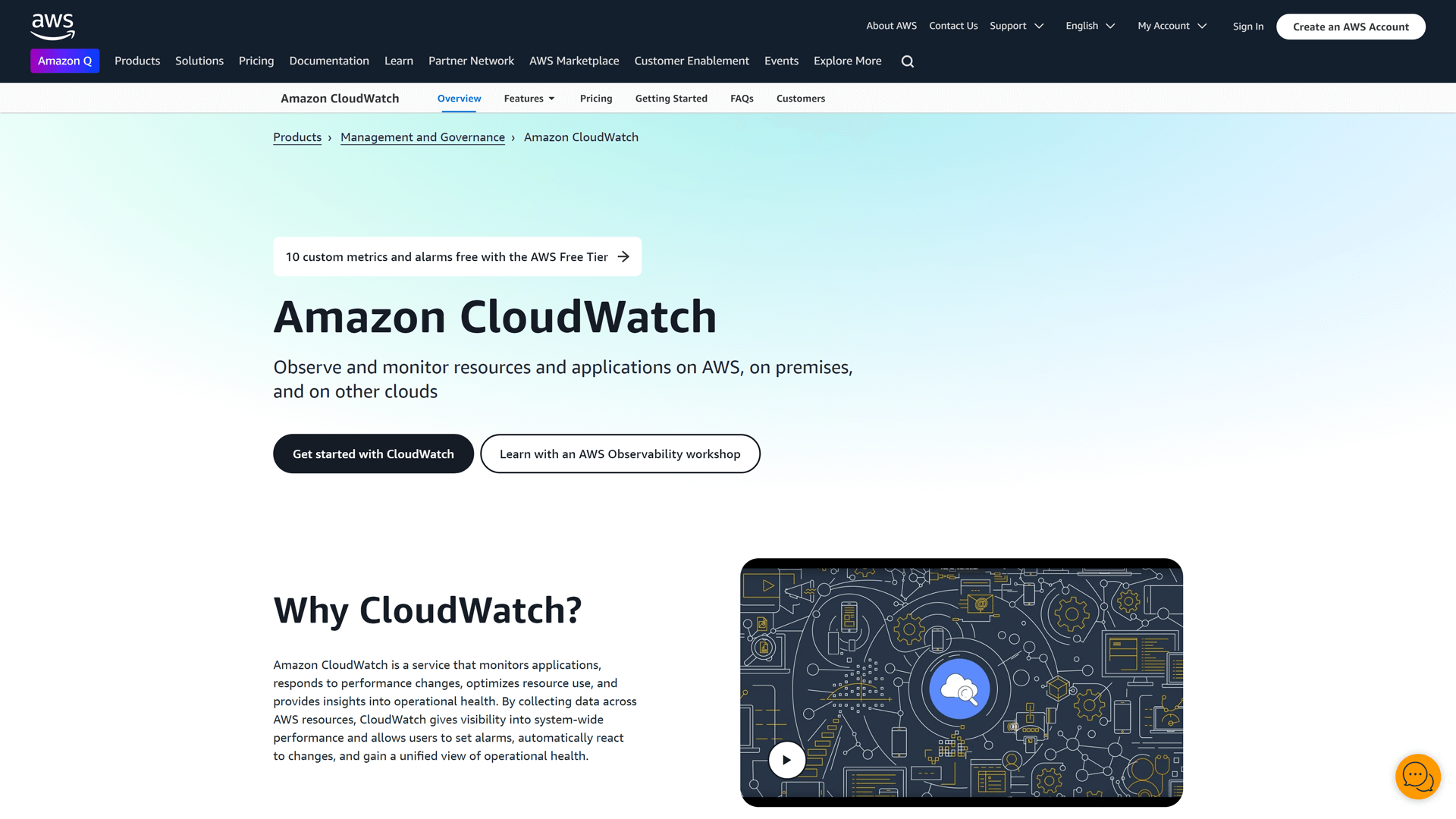
Amazon CloudWatch is a comprehensive monitoring service designed for cloud resources and applications running on Amazon Web Services (AWS).
It provides real-time insights into resource utilization, application performance, and operational health, allowing users to set alarms and automate responses to changes in their environment. As a cloud monitoring tool, it helps businesses ensure their applications are running smoothly and efficiently.
With its robust integration capabilities, CloudWatch can also be used to monitor third-party providers, making it a versatile option for teams looking to maintain optimal performance across their cloud infrastructure.
Features
Amazon CloudWatch is a powerful monitoring and observability service designed for cloud resources and applications. Here are the main features that make Amazon CloudWatch a notable alternative to IsDown for cloud status monitoring:
- Comprehensive Monitoring: provides real-time monitoring of AWS resources and applications, allowing users to track performance metrics, logs, and events across their cloud infrastructure.
- Custom Dashboards: Users can create customizable dashboards to visualize metrics and logs in a way that suits their specific needs. This feature enables teams to monitor the health and performance of their services at a glance.
- Alarms and Notifications: CloudWatch allows users to set up alarms based on specific thresholds for metrics. When these thresholds are breached, users receive notifications via Amazon Simple Notification Service (SNS), ensuring timely incident response.
- Integration with AWS Services: Integrates seamlessly with a wide range of AWS services, providing a holistic view of the entire cloud environment. This integration allows for automated monitoring and management of resources.
- Anomaly Detection: CloudWatch includes machine learning capabilities that automatically detect anomalies in metrics, helping users identify potential issues before they escalate into significant problems.
By leveraging these features, Amazon CloudWatch serves as a robust alternative for organizations looking to monitor the statuses effectively.
Advantages
When it comes to cloud services status monitoring, Amazon CloudWatch stands out as a robust alternative to IsDown. Here are some of the key advantages of using Amazon CloudWatch for your monitoring needs:
- Detailed Log Management
CloudWatch Logs allows users to collect, monitor, and analyze log files from various sources. This feature is essential for troubleshooting and gaining insights into application performance and user behavior.
- Cost-Effective Scaling
CloudWatch offers a pay-as-you-go pricing model, making it a cost-effective solution for businesses of all sizes. You only pay for the resources you use, allowing for scalable monitoring as your infrastructure grows.
- Support for Custom Metrics
In addition to monitoring AWS services, CloudWatch allows users to publish custom metrics from their applications. This capability ensures that you can monitor the specific performance indicators that matter most to your business.
- Enhanced Security and Compliance
Amazon CloudWatch benefits from AWS’s robust security framework, including encryption, access control, and compliance with various industry standards. This ensures that your monitoring data is secure and meets regulatory requirements.
- Integration with Third-Party Tools
While CloudWatch is primarily designed for AWS, it also supports integration with various third-party monitoring and alerting tools. This flexibility allows users to enhance their monitoring capabilities and streamline incident response.
Pricing
Amazon CloudWatch offers a flexible pricing model based on usage, making it suitable for businesses of all sizes. The pricing is divided into several components:
Metrics: You pay for custom metrics at $0.30 per metric per month. Basic monitoring for AWS services is included at no additional cost.
Alarms: Standard alarms are priced at $0.10 per alarm per month, while composite alarms are $0.50 per alarm per month.
Logs: You are charged for data ingested into CloudWatch Logs at $0.50 per GB, and for log data archived, the cost is $0.03 per GB per month.
Dashboards: Custom dashboards are available at $3.00 per dashboard per month.
Events: You can monitor events with a cost of $1.00 per million events.
API Requests: API requests are charged at $0.01 per 1,000 requests.
With its pay-as-you-go model, Amazon CloudWatch allows users to scale their monitoring needs according to their specific requirements, making it a cost-effective solution for status monitoring.
StatusHub
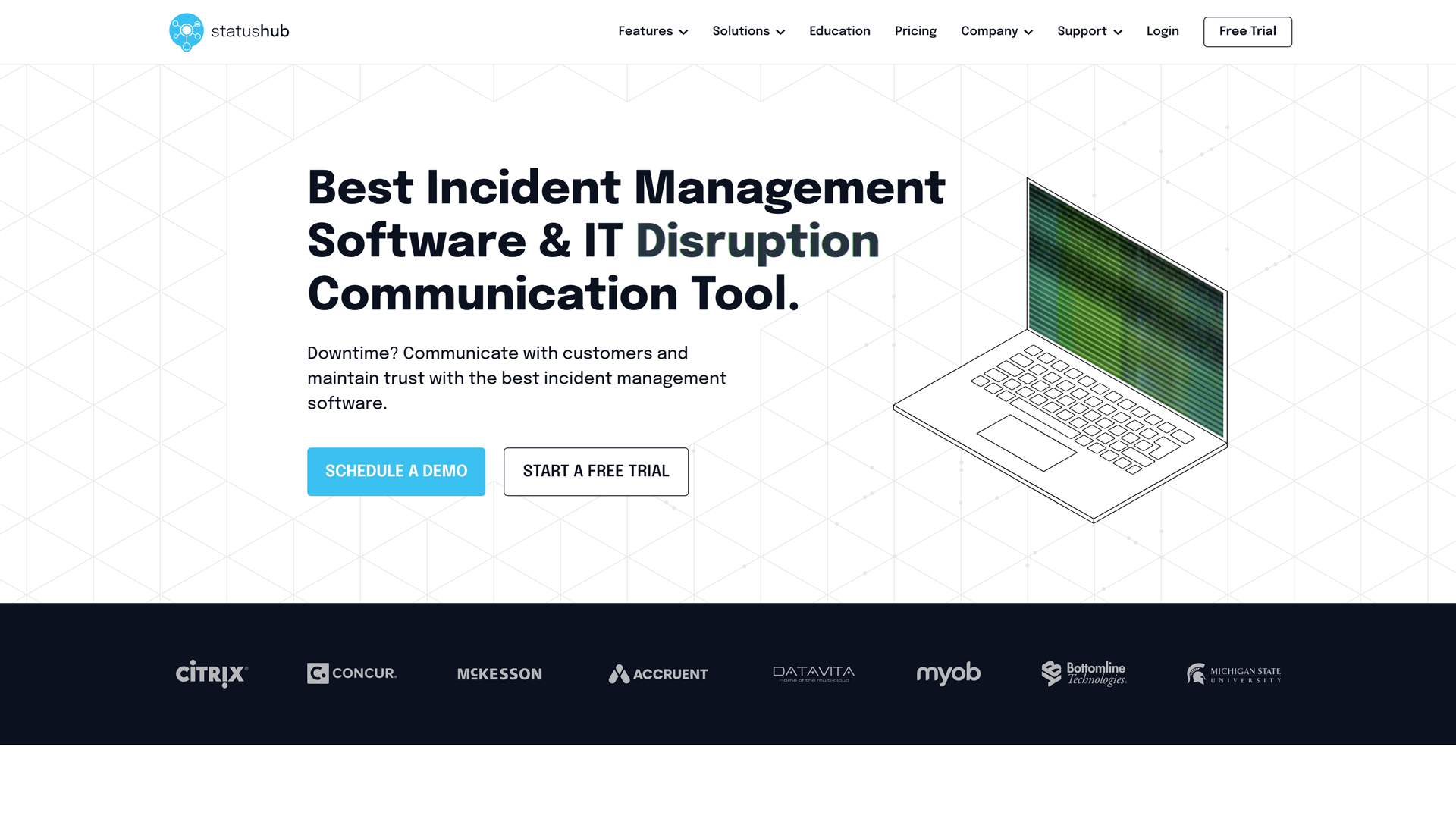
StatusHub is a cloud services status monitoring tool designed to help businesses communicate service outages and incidents effectively. It offers customizable status pages that can be tailored to reflect your brand, ensuring clear communication with your users during downtime.
With real-time monitoring and incident reporting, StatusHub helps reduce confusion and keeps stakeholders informed. Its user-friendly interface and integration capabilities make it a solid alternative for organizations looking to enhance their status communication strategy.
Features
- Customizable Status Pages: Create branded status pages that reflect your company’s identity and provide real-time updates.
- Incident Management: Efficiently manage incidents with detailed reports and historical data to keep users informed.
- Multi-Channel Notifications: Send updates via email, SMS, and webhooks to ensure users receive timely information.
- API Access: Integrate with other tools and apps seamlessly using a robust API for enhanced functionality.
- Uptime Monitoring: Monitor the uptime of your services and receive alerts for any downtime or performance issues.
Advantages
- User-Friendly Interface
With an intuitive design, StatusHub makes it easy for teams to set up and manage their status pages without extensive technical knowledge.
- Analytics and Reporting
The tool provides detailed analytics and reporting features, helping teams track performance and improve their incident response strategies.
- Integration Capabilities
StatusHub seamlessly integrates with popular tools and platforms, allowing for streamlined workflows and enhanced operational efficiency.
Pricing
Free Plan: Monitor a limited number of services with basic uptime checks and email alerts.
Starter Plan: Starting at $15 per month, supports monitoring for up to 5 services with real-time alerts and essential reporting.
Pro Plan: $49 per month, monitoring up to 25 services, includes advanced alerting options and detailed reporting features.
Enterprise Plan: Custom pricing for monitoring 100+ services, offering dedicated support, custom integrations, and advanced analytics.
Statuspage
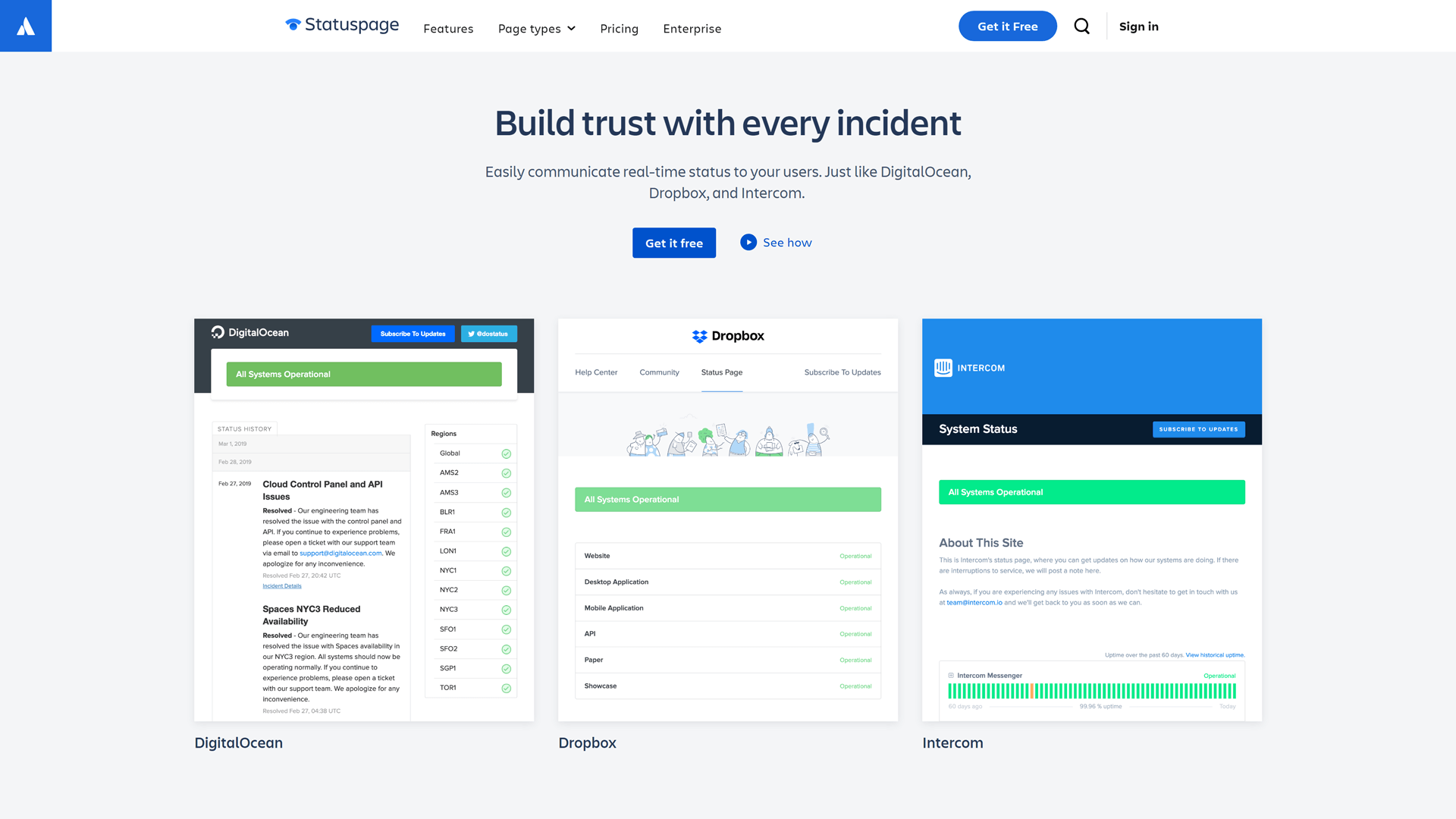
Statuspage is a status monitoring tool designed to help businesses communicate the status of their services effectively. It allows organizations to create customizable status pages that inform users about incidents, outages, and maintenance updates in real time.
With features like incident tracking and automated notifications, Statuspage enhances transparency and trust with customers.
This tool is particularly beneficial for teams looking to streamline their incident communication and reduce support ticket volumes.
Features
- Customizable Status Pages: Create branded status pages that reflect your company’s identity and provide real-time updates.
- Incident Management: Efficiently manage incidents with detailed reports and timelines, keeping users informed throughout the process.
- Integration Capabilities: Statuspage integrates seamlessly with various tools, enhancing workflow efficiency and incident management.
- Multi-Channel Notifications: Notify users via email, SMS, or webhooks to ensure they receive updates promptly.
- Historical Data Tracking: Access historical incident data to analyze trends and improve service reliability.
- User Feedback Collection: Gather user feedback directly on the status page to enhance communication and service quality.
Advantages
- Custom Branding
Statuspage allows extensive customization, enabling businesses to align the status page with their brand identity for a cohesive user experience.
- Incident Communication
It provides robust incident communication features, ensuring users are promptly informed about outages and updates.
- User-Friendly Interface
The intuitive design makes it easy for teams to set up and manage their status pages without extensive technical knowledge.
- Detailed Analytics
Offers comprehensive analytics and reporting, helping teams understand incident trends and improve service reliability.
- Public and Private Pages
Supports both public and private status pages, catering to different audience needs and enhancing communication flexibility. Although, there are separate pricing plans for different types of pages.
Pricing
The pricing plans below are for public status pages.
Free Plan: Includes 100 subscribers, 25 components, 2 team members, 2 metrics, email/Slack/Teams notifications, and REST API access.
Hobby Plan for $29 per month: Offers 250 subscribers, 5 team members, 5 metrics, basic customization, custom domain, and the same notification options as the Free plan.
Startup Plan for $99 per month: Supports 1,000 subscribers, 10 team members, 10 metrics, custom CSS, custom domain, email, SMS, webhook notifications, and SSO via Atlassian Guard.
Business Plan for $399 per month: Includes 5,000 subscribers, 25 team members, 25 metrics, custom CSS, HTML, JS, component subscriptions, role-based access control, and full notification options.
Enterprise Plan for $1,499 per month: Provides 25,000 subscribers, 50 team members, 50 metrics, component subscriptions, advanced customization, role-based access control, and yearly invoicing options.
The private status page will cost an additional $79 per month, and the audience-specific page – $300.
Status.io

Status.io is a cloud services status monitoring tool that provides real-time updates on the operational status of your services and third-party integrations.
It allows businesses to create customizable status pages that can be shared with customers, ensuring transparent communication during incidents or downtime.
With features like incident tracking and automated notifications, Status.io helps teams manage their communication effectively and reduce support ticket volumes.
Its user-friendly interface and robust API integrations make it a solid choice for organizations looking to enhance their incident management processes.
Features
- Customizable Status Pages: Status.io features include highly customizable status pages, allowing businesses to tailor the look and feel to match their branding.
- Incident Management: The platform provides robust incident management features, enabling teams to communicate effectively during outages.
- Multi-Channel Notifications: Users can receive real-time updates through various channels, including email, SMS, and webhooks.
- Uptime Monitoring: Monitor the uptime of your services and receive alerts for any downtime.
- API Access: Integrate with other tools and automate status updates through robust API endpoints.
Advantages
- Redundant infrastructure
Ensures that user’s status pages remain reliable and up.
- Integration Capabilities
Status.io integrates seamlessly with popular tools like Slack and PagerDuty, enhancing workflow efficiency.
- Historical Data Access
Users can access historical incident data, helping them analyze past outages and improve future response strategies.
Pricing
Basic Plan: For $79 per month includes 500 subscribers, 5 team members, basic metrics, and status automation. Ideal for small teams managing status communications.
Standard Plan: For $149 per month supports up to 2,000 subscribers and 20 team members. Includes incident management, planned maintenance, external service monitoring, status widget, and advanced notifications (Twitter, RSS, SMS).
Plus Plan: For $349 per month is for larger organizations with 5,000 subscribers and 50 team members. Includes advanced features like private mode, custom branding, CSS/HTML customization, SSO, audit trail, and extra status pages for testing.
All plans include essential features like custom status pages, metrics, team collaboration, and automated incident maintenance.
Downhound
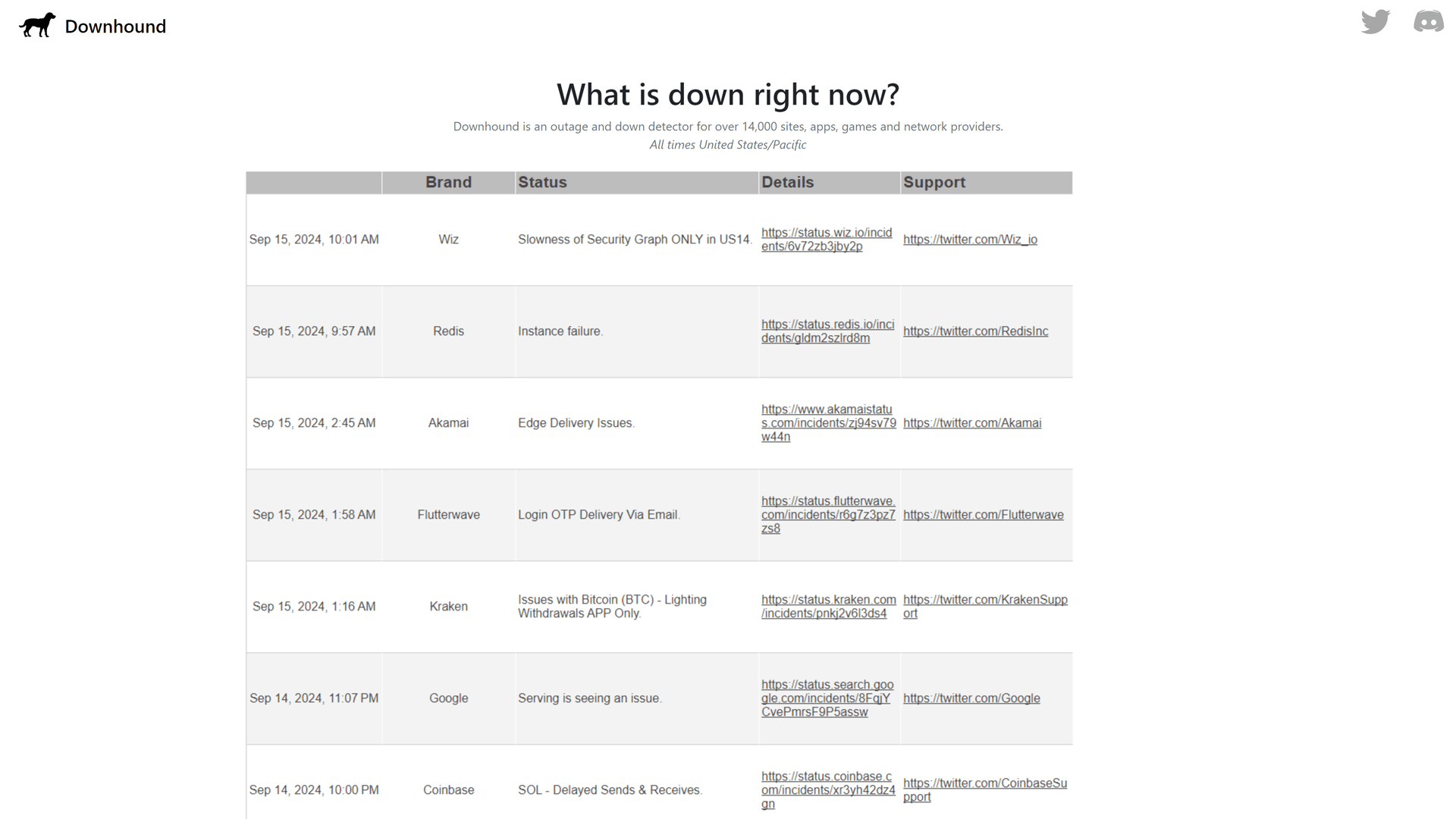
Downhound is a website relying on bots to track performance disruptions of various online apps. It provides users with real-time alerts and links to detailed reports and support sources, ensuring that they stay informed about any outages or incidents affecting their critical applications.
Downhound allows teams to receive notifications via Discord. This makes it a simple, valuable alternative for businesses looking to be aware of popular service disruptions.
Features
- Real-Time Monitoring: A dashboard with the outages or incidents for 14,000 sites, apps, games and network providers.
- Dashboard with the Latest Disruptions: A simple display of the basic information with links to the official source and Twitter.
- Multi-Service Support: Monitors a wide range of sites and apps, ensuring comprehensive coverage for users’ needs.
Advantages
- Simple Interface
Downhound offers an intuitive design, making it easy for users to navigate and monitor service statuses without a steep learning curve.
- Comprehensive Coverage
Downhound monitors a wide range of cloud services, providing extensive insights into service performance and reliability.
- Short Reports
Offers in-depth analytics and reports on service uptime and incidents, helping users make informed decisions about their cloud service providers.
Pricing
Downhound is a free website showing the latest information.
Freshservice

Freshservice is a cloud-based IT service management (ITSM) tool that offers a comprehensive suite of features for incident management, problem management, and change management. It provides users with real-time monitoring of their IT services, ensuring that any outages or disruptions are promptly addressed.
With its intuitive interface and automation capabilities, Freshservice streamlines communication and enhances collaboration among teams. Ideal for businesses looking to improve their service delivery, Freshservice also integrates seamlessly with various third-party applications to enhance its functionality.
Features
- Incident Management: Streamlined ticketing system for tracking and resolving service disruptions efficiently.
- Automated Alerts: Real-time notifications for incidents and outages, keeping teams informed.
- Service Catalog: Customizable service offerings for better visibility and management of IT services.
- Integration Capabilities: Connects with various tools and platforms for seamless workflow.
- Reporting and Analytics: In-depth insights into service performance and incident trends for informed decision-making.
Advantages
- ITIL Framework Integration
Freshservice is built on ITIL best practices, ensuring streamlined incident management and service delivery.
- User-Friendly Interface
Its intuitive design makes it easy for teams to navigate and manage service requests efficiently.
- Comprehensive Reporting
Users benefit from detailed analytics and reporting tools to track performance and service uptime.
- Multi-Channel Support
Freshservice supports various communication channels, enhancing customer engagement and support efficiency.
Pricing
Free Plan: Monitor a limited number of services with basic incident management features.
Starter Plan: Starting at $19 per month, includes monitoring for up to 3 services, basic automation, and email notifications.
Growth Plan: $49 per month, supports monitoring for up to 10 services, advanced automation, and reporting features.
Pro Plan: $99 per month, monitoring for up to 25 services, includes custom integrations, priority support, and enhanced analytics.
Sorry App

SorryApp is a cloud services status monitoring tool designed to help businesses keep track of the operational health of their online services. It provides real-time updates and incident notifications, ensuring that users are always informed about the status of their critical applications.
With a user-friendly interface, Sorry™ allows teams to customize their status pages and communicate effectively with stakeholders during outages. This tool is particularly beneficial for organizations looking to enhance transparency and reduce support ticket volumes related to service disruptions.
Features
- Real-Time Monitoring: Sorry™ provides instant updates on service outages and performance issues, ensuring users are always informed.
- Customizable Status Pages: Users can create tailored status pages that reflect their brand, enhancing communication with customers.
- Incident Notifications: Automated alerts keep teams updated on service disruptions, reducing the need for manual checks.
- Integration Capabilities: Sorry seamlessly integrates with various tools, streamlining incident management and communication processes.
- Historical Data Tracking: Users can access past incident reports and performance metrics to analyze trends and improve service reliability.
Advantages
- Customizable Alerts
Users can set personalized notifications for specific services, ensuring they stay informed about outages that matter most to them.
- Multi-Platform Support
Sorry™ integrates seamlessly with various platforms, allowing users to monitor a wide range of services from a single dashboard.
- Affordable Pricing
With competitive pricing plans, Sorry provides cost-effective solutions for startups and small businesses looking to monitor their cloud services.
- Real-Time Updates
The tool delivers instant updates on service statuses, helping teams respond quickly to incidents and minimize downtime.
- Comprehensive Reporting
Sorry offers detailed reports and analytics, enabling users to track service performance over time and make informed decisions.
Pricing
Free Plan: Monitor a limited number of services with basic uptime checks and alerts.
Basic Plan: Starting at $9 per month, supports monitoring for up to 10 services with real-time email alerts and essential reporting features.
Pro Plan: $29 per month, monitors 50 services, includes advanced alerting options (like SMS notifications), and offers enhanced reporting tools.
Business Plan: $99 per month, monitors up to 200 services, includes custom integrations, dedicated support, and advanced analytics.
IncidentHub

IncidentHub is a cloud services status monitoring tool designed to streamline incident management and communication. It offers real-time status updates and incident tracking, allowing teams to stay informed about service disruptions and outages.
With its user-friendly interface, IncidentHub enables organizations to create customizable status pages that can be shared with stakeholders. Additionally, it integrates seamlessly with various collaboration tools, ensuring that teams can respond quickly and effectively to incidents.
Features
- Real-Time Monitoring: Provides instant updates on the status of cloud services, ensuring users are always informed.
- Customizable Status Pages: Users can create tailored status pages that reflect their brand and service offerings.
- Incident Management: Streamlines incident reporting and communication, reducing response times during outages.
- Integration Capabilities: Seamlessly connects with various tools and platforms for enhanced workflow efficiency.
- Historical Data Analysis: Offers insights into past incidents, helping teams identify trends and improve reliability.
Advantages
- Detailed Reporting
Provides comprehensive analytics and reports, helping teams understand incident trends and improve response strategies.
- Collaboration Features
Facilitates team communication during incidents, ensuring everyone stays informed and aligned.
Pricing
Free Plan: Monitor a limited number of services with basic uptime checks and alerts.
Basic Plan: Starting at $9 per month, supports monitoring for up to 10 services with real-time email alerts and essential reporting features.
Pro Plan: $29 per month, allows monitoring of 50 services, includes advanced alerting options like SMS notifications, and enhanced reporting tools.
Business Plan: $99 per month, monitors up to 200 services, offering custom integrations, dedicated support, and advanced analytics.
Conclusion
In today’s digital landscape, ensuring the uptime and performance of your business applications is crucial for maintaining customer satisfaction. There are several exceptional services that offer unique features and benefits similar to IsDown, but offering potentially more suitable services for your business.
So, check out our overview of IsDown competitors including StatusGator to make a reasonable choice for your services and application monitoring.

FAQ
Why look for IsDown alternatives?
You might look for IsDown alternatives if you’re seeking additional features like better customization of status pages, enhanced monitoring of third-party services, or broader integrations with platforms like Slack or MS Teams. Other alternatives might offer more competitive pricing or advanced incident communication features.
What are the top 5 alternatives to IsDown?
The top 5 alternatives to IsDown include StatusGator, Statuspage by Atlassian, Status.io, Freshstatus, and UptimeRobot. These tools offer similar third-party service monitoring, customizable status pages, and instant updates.
Does IsDown support real-time notifications?
Yes, IsDown supports real-time notifications via email, Slack, and other integrations, allowing users to stay informed of incidents affecting their third-party services.
What services can IsDown monitor?
IsDown can monitor popular cloud services, including SaaS platforms, infrastructure providers, API endpoints, and applications helping users stay updated on any disruptions.
Is IsDown free?
IsDown offers a free plan with limited monitoring of 5 providers, but for more advanced features like increased monitoring limits and faster notifications, a paid subscription is required. There are also open source solutions available for free such as Cachet or Upptime, but consider the price of hosting.