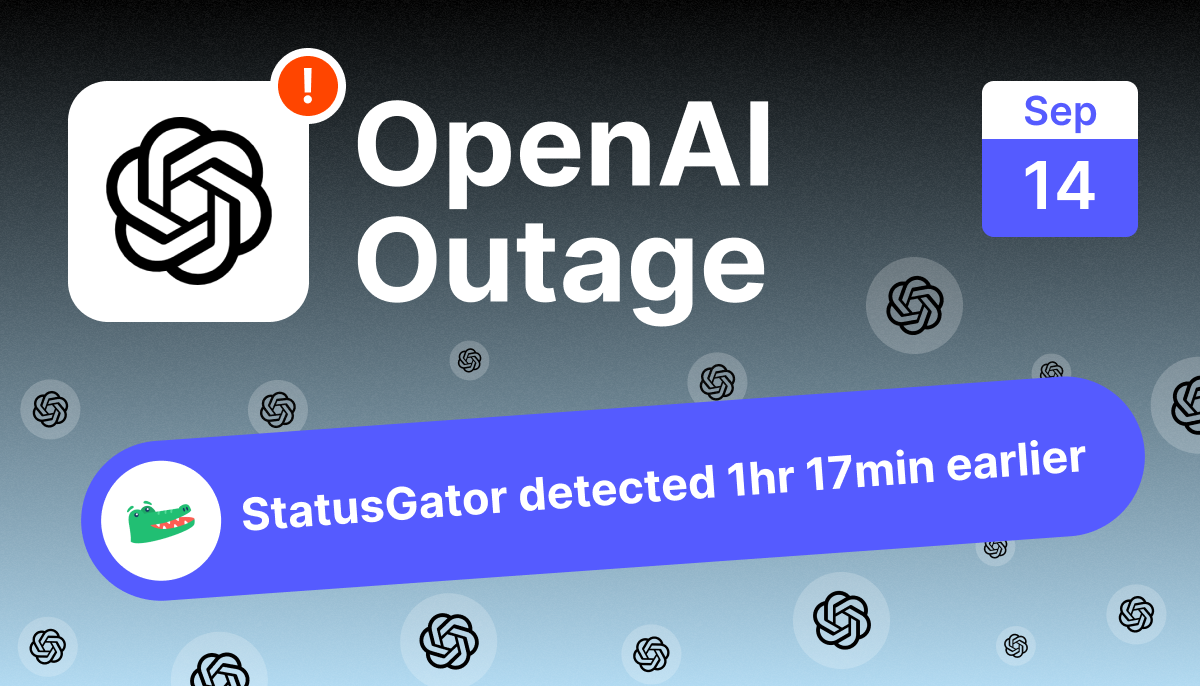
ChatGPT’s tools and workspace features failed for users around the world on September 14, 2026, with the message “Some tools are temporarily unavailable” blocking spreadsheet and document creation, Codex, Projects, file reading, and dictation while core chat largely kept working. StatusGator sent an Early Warning Signal at 14:41 UTC, 1 hour and 17 minutes before OpenAI publicly acknowledged the incident at 15:58 UTC.
Incident at a glance
| Detail | Value |
|---|---|
| Service | OpenAI (ChatGPT) |
| Date | September 14, 2026 |
| Status | Resolved |
| Duration | 5 hours 9 minutes |
| Primary symptom | “Some tools are temporarily unavailable” |
| Mainly affected | ChatGPT tools and workspace features, Codex, Projects, file tools; core chat mostly stayed up |
| First user report | 14:29 UTC |
| StatusGator Early Warning Signal | 14:41 UTC |
| Public acknowledgment | 15:58 UTC |
| Recovery | 19:38 UTC (last user reports) |
| Detection lead | 1 hour 17 minutes before public acknowledgment |
Was OpenAI down on September 14, 2026?
Partly. ChatGPT itself mostly kept working, but its tools and workspace features went down for users worldwide. From about 14:29 UTC, people hit the error “Some tools are temporarily unavailable” when trying to use features like spreadsheet creation, document tools, Codex, Projects, the PDF reader, and dictation. Plain chat responses often still worked, which is why this registered as a partial outage rather than a full ChatGPT blackout, but for anyone relying on the newer agentic and work features, it was a hard stop.
What caused the OpenAI outage?
OpenAI flagged the incident as some tools being temporarily unavailable. The consistent, user-visible symptom was exactly that message, appearing across accounts and regions when people tried to invoke tools rather than simple chat. Reports pointed to a shared set of features failing together, including workspace or “work mode” tools, spreadsheet joining and creation, document editing, Codex, Projects, and file handling, which suggests the problem sat in the tools and workspace layer rather than in ChatGPT’s core responses. We will keep this section factual and update it if more detail becomes available.
How long was OpenAI down?
The disruption lasted about five hours, specifically 5 hours and 9 minutes from the first user report at 14:29 UTC to the last at 19:38 UTC. OpenAI acknowledged the incident partway through, at 15:58 UTC, and tool functionality returned as the incident was resolved.
Timeline of the September 14 OpenAI outage (UTC)
| Time (UTC) | Event |
|---|---|
| 14:29 | First outage report reaches StatusGator |
| 14:29 to 14:40 | Reports build quickly with the same “some tools are temporarily unavailable” message from the US, Canada, Germany, Vietnam, and Indonesia |
| 14:41 | StatusGator sends an Early Warning Signal to subscribers |
| 15:58 | OpenAI publicly acknowledges the incident |
| 15:59 to 19:37 | Reports continue worldwide, citing spreadsheet and document tools, Codex, Projects, and file features |
| 19:38 | Final outage reports arrive; recovery |
Who and what was affected?
This hit anyone using ChatGPT for real work rather than just conversation. The failures clustered around the tools and workspace features, including:
- Spreadsheet tools, including joining and creating spreadsheets
- Document and workspace tools (“work mode” or “work environment”)
- Codex
- Projects, with some users seeing a 403 error
- File features such as the PDF reader, and dictation
Reports came from around the world, led by the United States, followed by Brazil, Germany, Canada, India, the United Kingdom, Austria, Japan, and more. A sample of what users reported, with identifying details removed:
- “Some tools are temporarily unavailable.” (Southington, Connecticut)
- “Spreadsheet tools are not available” (West Palm Beach, Florida)
- “Tools currently down or inability to use workspace like Word or PowerPoint” (Port Saint Lucie, Florida)
- “codex not accessible” (Thuwal, Saudi Arabia)
- “Work environment is currently offline” (Cape Town, South Africa)
- “dictate failed 3 times in a row, now I am also seeing a 403 page when I try to go to Projects” (Pleasant Grove, Utah)
How did StatusGator detect the outage early?
StatusGator sent its Early Warning Signal at 14:41 UTC, 1 hour and 17 minutes before OpenAI publicly acknowledged the incident at 15:58 UTC. It works by pairing official status feeds with real-time user reports, so a spike in unofficial reports can trigger an alert before the provider posts anything public.
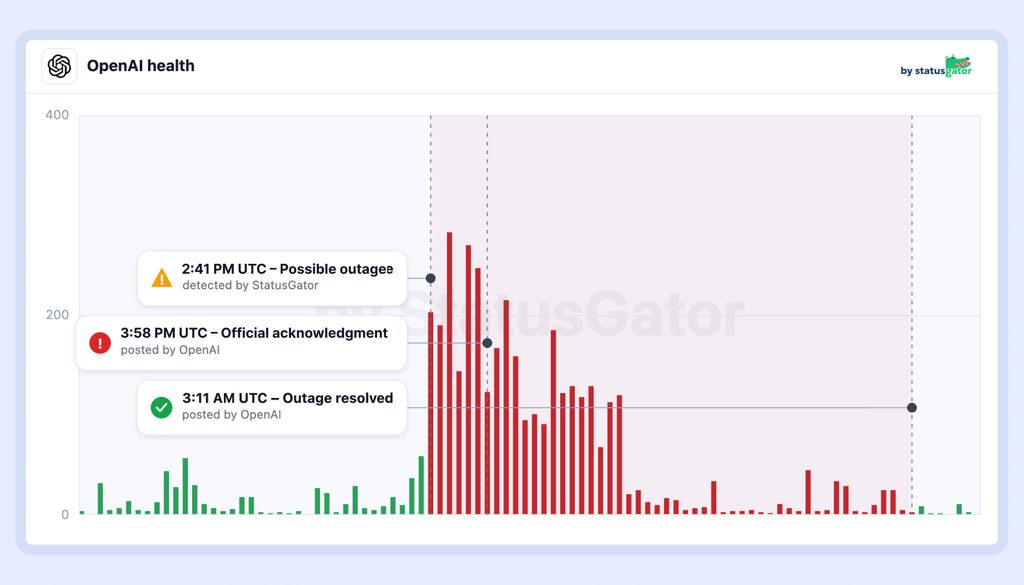
That head start matters for a partial outage like this one. Because core chat kept working, the problem was easy to miss at a glance, and many users first assumed the fault was on their side. A crowd-sourced signal cuts through that ambiguity: when reports of the same “some tools are temporarily unavailable” error spike at once, it is a service issue, not your setup, and teams can stop troubleshooting and route around the affected features.
For historical context, you can review OpenAI’s outage history and the OpenAI outage map to see how often these events happen and where they land.
Lessons for teams that depend on OpenAI
- A partial outage is still an outage. Chat working does not mean everything is fine. If your workflow leans on tools, Codex, or Projects, monitor those specifically.
- Do not assume it is your account. Many users retried and re-logged before realizing the tools were down platform-wide. An outage check settles that in seconds.
- Have a fallback for tool-dependent work. When spreadsheet, document, or file tools fail, know how you will keep working until they return.
- Turn on proactive alerting. Early Warning Signals exist for the window between a spike in reports and the official acknowledgment.
Frequently asked questions
Was OpenAI down on September 14, 2026?
ChatGPT’s tools and workspace features were down worldwide from about 14:29 to 19:38 UTC, showing “Some tools are temporarily unavailable,” while core chat mostly worked. For live status, check the OpenAI status page on StatusGator.
What does “Some tools are temporarily unavailable” mean in ChatGPT?
It means ChatGPT cannot reach the tools or workspace features behind a request, such as spreadsheet, document, file, or code tools. The chat model may still respond even when these tools are failing.
How long did the OpenAI outage last?
About five hours, from the first user report at 14:29 UTC to the last at 19:38 UTC.
How can I get warned about OpenAI outages early?
Monitor OpenAI with StatusGator and enable Early Warning Signals, which alert you when user reports spike ahead of the provider’s public acknowledgment.
Monitor OpenAI with StatusGator
If your team builds or works with OpenAI and ChatGPT, a tools outage can stall real work even while chat looks healthy. StatusGator combines official status pages with real user reports and sends Early Warning Signals the moment a pattern emerges, often well before the provider posts anything public.
Start monitoring with StatusGator and get early warnings for the services your team depends on.