


Show cloud outages in Notion
Monitor third-party dependencies and cloud outages right inside your Notion workspace with StatusGator.
Combine StatusGator and Notion for full visibility
Notion is where your team plans, documents, and runs operations. StatusGator complements Notion by monitoring the cloud providers, SaaS platforms, APIs, and third-party services your business depends on.
The StatusGator Notion integration lets you embed StatusGator data directly into a Notion page. The embed is styled to match Notion, so its colors, fonts, and layout blend in and your runbooks, dashboards, and team wikis show live vendor status alongside everything else.
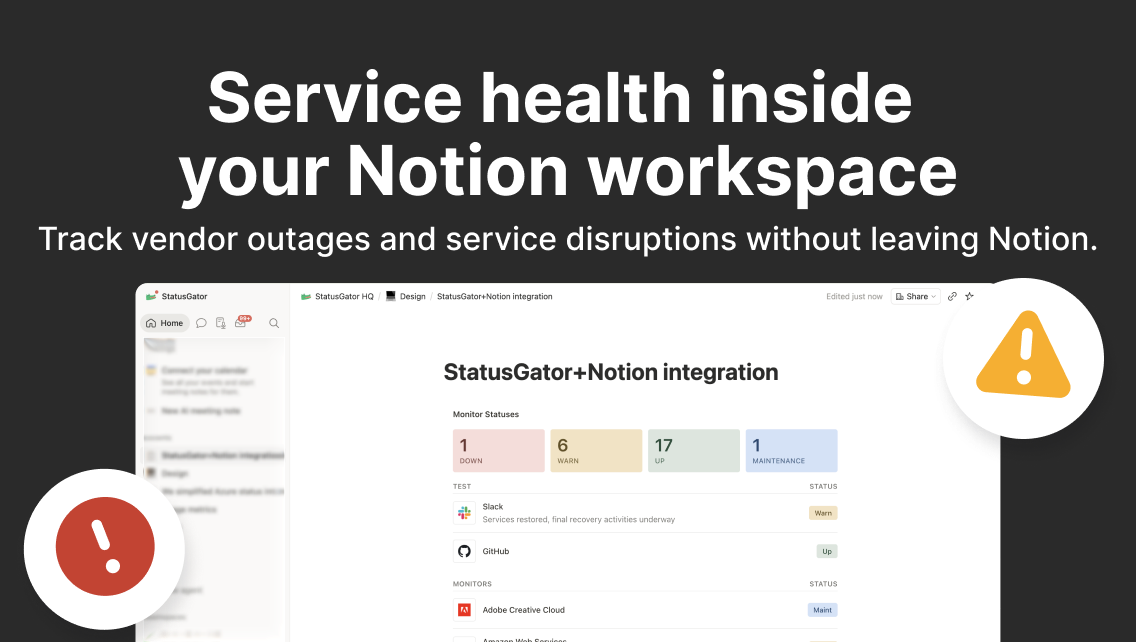
Why integrate StatusGator with Notion
- Real-time vendor monitoring: StatusGator continuously monitors cloud providers, SaaS platforms, APIs, and external services for outages, maintenance events, and service disruptions.
- Native Notion embedding: Embed StatusGator dashboards directly into Notion pages, styled to match Notion, for a seamless experience.
- Always-current runbooks: Keep live vendor status next to your incident runbooks, team wikis, and project docs without leaving Notion.
- Unified operational visibility: Bring dependency monitoring into the same workspace your team already uses every day.
- Easy configuration: Generate an embed URL in StatusGator and paste it into a Notion embed block to get started in minutes.
Integration details
Start free trialCategory
Available on plans
Business plans
-
Free
-
Starter
-
Team
-
Corporate
-
Enterprise
Education plans
-
Free
-
Small
-
Medium
-
Large
-
Extra Large
Resources
Help docStay ahead of outages with Notion + StatusGator
Keep vendor status and service health visible where your team works.
How to set up StatusGator + Notion
Generate the embed URL
Add an embed block in Notion
Monitor in context
Frequently asked questions
Can't find your question? Email us to arrange a time to discuss. We'd love to chat!
Other integrations

Confluence
Embed StatusGator dashboards directly into Confluence pages.

SharePoint
Embed StatusGator dashboards directly into SharePoint.
We have 40 integrations. See all