


Show cloud outages on Rise Vision
Display live third-party dependency and cloud outage status on your Rise Vision digital signage with StatusGator.
Combine StatusGator and Rise Vision for real-time visibility
Rise Vision is a digital signage platform for displaying content on screens across offices, lobbies, classrooms, and operations centers. StatusGator complements Rise Vision by monitoring the cloud providers, SaaS platforms, APIs, and third-party services your business depends on.
The StatusGator Rise Vision integration gives you an HTML embed code you paste into a Rise Vision HTML Embed component, so a live status page appears directly in any presentation. Keep your team informed of service disruptions and downtime on the big screen, right alongside your other signage content.
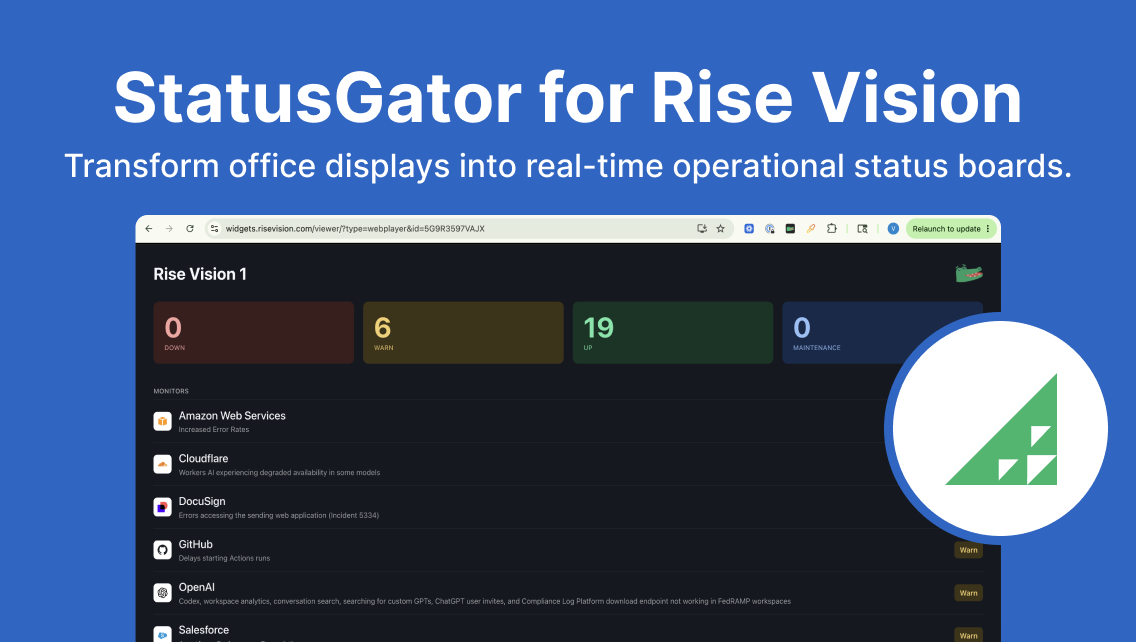
Why integrate StatusGator with Rise Vision
- Real-time vendor monitoring: StatusGator continuously monitors cloud providers, SaaS platforms, APIs, and external services for outages, maintenance events, and service disruptions.
- Native HTML Embed: Paste the HTML embed code into a Rise Vision HTML Embed component to drop your status page into any presentation for a seamless signage experience.
- Ideal for large spaces: Perfect for operations centers, help desks, lobbies, and offices where everyone needs to stay updated on service status at a glance.
- Always up to date: The embedded status page refreshes automatically, so your screens always show the latest service health.
- Easy configuration: Copy the HTML embed code from StatusGator and paste it into a Rise Vision HTML Embed component to get started in minutes.
Integration details
Start free trialCategory
Available on plans
Business plans
-
Free
-
Starter
-
Team
-
Corporate
-
Enterprise
Education plans
-
Free
-
Small
-
Medium
-
Large
-
Extra Large
Resources
Help docStay ahead of outages with Rise Vision + StatusGator
Keep real-time vendor outage visibility on every screen your team relies on.
How to set up StatusGator + Rise Vision
Copy the embed code
Add an HTML embed in Rise Vision
Display on your screens
Frequently asked questions
-
How do I get the Rise Vision HTML embed code?
Navigate to the Integrations page in your StatusGator account, open Digital Signage, and select Rise Vision. You’ll be provided with an HTML embed code that displays a live status page optimized for digital signage screens. -
How do I display my status page on Rise Vision?
In your Rise Vision presentation, add an HTML Embed component and paste the StatusGator HTML embed code into it. Publish the presentation and your status page will appear on every screen assigned to it. -
Does the Rise Vision display update automatically?
Yes. The embedded status page refreshes on its own, so your Rise Vision screens always show the latest service health without any manual intervention. -
Can I show different status pages on different screens?
Yes. Create a separate board in your StatusGator account for each set of monitors, add a Rise Vision integration to each board, and use the unique embed URL for each presentation. This lets you display different status pages across your screens. -
Where should I use the Rise Vision integration?
It is ideal for network operations centers (NOCs), help desk call centers, IT offices, lobbies, and classrooms — anywhere real-time service status should be visible at a glance on a large screen. -
Is the Rise Vision integration free to use?
The Rise Vision integration is available on StatusGator. See the pricing page for the plans that include integrations, and refer to Rise Vision for their digital signage subscription details.
Can't find your question? Email us to arrange a time to discuss. We'd love to chat!
Other integrations


We have 40 integrations. See all