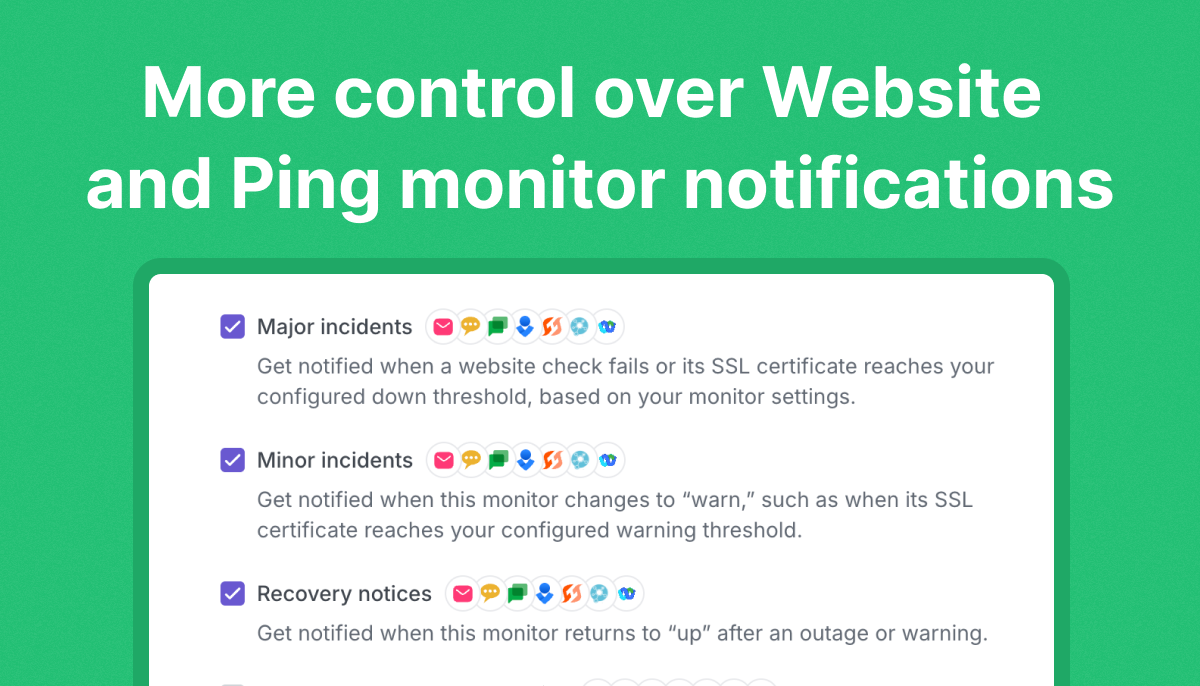

We’re pleased to introduce a meaningful update to our email notifications, designed to make managing alerts simpler and more intuitive. These changes help you stay focused on the notifications that matter most while giving you more control over how you monitor services.
Clearer subscription management
At the end of each email notification, you’ll now find straightforward tips on how to manage your preferences. Whether you need to unsubscribe from certain monitors or refine your notification settings, these updates make it easy to stay in control.

Pro Tips:
- Take full control of your notifications directly from your StatusGator account. Use the board settings to manage all your services and notification types in one convenient place.
- For even more precision, filter components within service settings by selecting the “Filter to specific components” option. This is perfect for monitoring only the regions or components that matter most, keeping your alerts focused and relevant.
- For website monitors, you can also customize settings such as check locations, timeout duration, and other advanced options to ensure your alerts are as accurate and relevant as possible.
Added resource: Tips for dealing with flaky website monitors
For users of website monitors, we’ve included a link to our guide: “Tips for dealing with flaky website monitors.” This resource offers practical advice for handling inconsistent alerts and optimizing your monitoring setup for better accuracy.
We’re committed to giving you the tools to customize your monitoring experience. With these changes, you’ll spend less time managing alerts and more time focusing on what matters most to your organization.
Have suggestions or feedback? Let us know – we’re always working to make StatusGator better for you. Happy monitoring!